9 Best NETGEAR Nighthawk Cable Modems (October 2026)
The best NETGEAR Nighthawk cable modems include the NETGEAR Nighthawk CM2500 for multi-gig households, the NETGEAR Nighthawk CAX30 for simple home WiFi, and the NETGEAR Nighthawk CM3000 for 2.5 Gig routers.
On this page (6 sections)
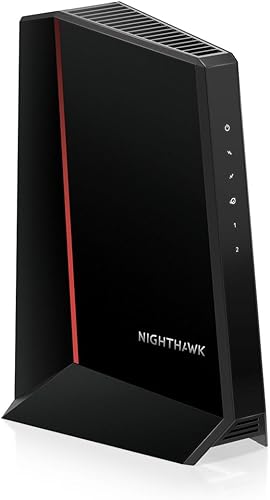
The best NETGEAR Nighthawk modem for most multi-gig cable homes is the CM2500. It supports plans up to 2 Gbps download, pairs with a separate router or mesh system, and suits buyers who want to choose their own WiFi equipment.
If you want a single device for cable and WiFi, consider the CAX30 or CAX80. For a Gigabit plan, the CM1000 covers the basics; for Xfinity Voice, the CM2050V is the specialized option.
These picks include standalone modems, modem-router combos and an Orbi mesh system. Your provider, plan speed, phone service and existing WiFi setup narrow the choice more reliably than a model's headline speed.
Start with our cable modem buying guide to check the basics. If you are comparing brands, see ARRIS vs NETGEAR cable modems.
Our picks at a glance
-
1
-
2

-
3
How to choose the best NETGEAR Nighthawk modem
The best NETGEAR Nighthawk modem for you is the one your provider approves for your exact plan and that fits your home network. Begin with compatibility, then decide whether you need a standalone modem, an all-in-one WiFi device or mesh coverage.
We compared the models by their stated plan limits, wired connections, WiFi features and voice support. The score reflects how well those features match common cable modem buying needs.
A standalone modem is a good fit if you already own a router or want to choose one separately. A combo is simpler when you want one box for cable and WiFi, while the Orbi CBK752 includes a router and satellite for a mesh setup.
Do not choose based on maximum speed alone. The plan available at your address, provider approval, router ports and WiFi coverage all affect what your household can use.
| Product | Best for | Modem type | Maximum plan support | Ethernet | Our score |
|---|---|---|---|---|---|
| NETGEAR Nighthawk CM2500 | multi-gig households | Standalone cable modem | Up to 2 Gbps | Two Gigabit ports | 8.7 |
| NETGEAR Nighthawk CAX30 | simple home WiFi | 8.5 | |||
| NETGEAR Nighthawk CM3000 | 2.5 Gig routers | Standalone cable modem | One 2.5 Gig and two 1 Gig ports | 8.3 | |
| NETGEAR Nighthawk CM1000 | Gigabit service | Standalone cable modem | One Gigabit port | 8.0 | |
| NETGEAR Nighthawk CM2000 | one fast link | Standalone cable modem | One 2.5 Gig port | 7.9 | |
| NETGEAR Nighthawk CM2050V | Xfinity phone lines | Cable modem with voice support | One 2.5 Gig port | 7.7 | |
| NETGEAR Nighthawk CM1200 | wired device groups | Standalone cable modem | Four Gigabit ports | 7.6 | |
| NETGEAR Nighthawk CAX80 | larger WiFi zones | 7.5 | |||
| NETGEAR Orbi CBK752 | spread-out homes | 7.3 |
Which Nighthawk modem fits your plan and setup?
The CM2500 suits a standalone setup with multi-gig service, and the CAX30 suits homes that want a modem and WiFi router together. Check your provider’s approved device list and model-specific plan limits before making the final choice.
NETGEAR Nighthawk CM2500: Best for multi-gig households
- DOCSIS 3.1
- Up to 2 Gbps download and 1 Gbps upload
- Two Gigabit Ethernet ports
- Works with Xfinity, Spectrum and Cox
The CM2500 is a standalone DOCSIS 3.1 modem for pairing with a separate router or mesh system. Its two Gigabit ports support Link Aggregation for speeds up to 2 Gbps.
Pros
- Supports plans up to 2 Gbps
- Works with major cable providers
- App guided setup
Cons
- No built-in WiFi
- Not compatible with bundled voice plans
The CM2500 is the straightforward pick for households that want a separate router or mesh system and service up to 2 Gbps. DOCSIS 3.1 supports up to 2 Gbps download and 1 Gbps upload, and Active Queue Management is designed to help keep traffic moving during busy periods.
Its two Gigabit Ethernet ports can connect to a compatible router, with Link Aggregation combining them for speeds up to 2 Gbps. The Nighthawk app offers guided setup, status checks, speed tests and firmware management.
It works with Xfinity, Spectrum, Cox and most US cable providers on plans up to 2 Gbps. Confirm provider approval and the needed mid-split service first.
Skip it if you need bundled voice support or want built-in WiFi.
NETGEAR Nighthawk CAX30: Best for simple home WiFi
- DOCSIS 3.1 modem and WiFi 6 router
- Up to 2,000 sq ft stated coverage
- Four Gigabit Ethernet ports
- Supports up to 25+ connected devices
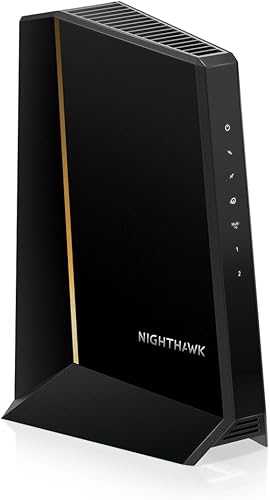
The CAX30 combines a DOCSIS 3.1 cable modem with a dual-band WiFi 6 router. Its app can manage WiFi, guest networks and paused devices.
Pros
- Modem and WiFi router in one device
- Four wired ports
- WPA3 encryption
Cons
- Plan support varies by provider
- Not compatible with bundled voice plans
The CAX30 is the practical choice if you want cable internet and WiFi in one box. Its DOCSIS 3.1 modem and dual-band WiFi 6 router serve up to 25 or more connected devices, with stated coverage up to 2,000 sq ft.
Its plan ceilings differ by provider: Xfinity up to 800 Mbps, Spectrum up to 1 Gbps and Cox up to 1 Gbps. That makes it a poor match for an Xfinity tier above its stated limit, even though the modem supports DOCSIS 3.1.
Four Gigabit Ethernet ports are useful for wired devices such as a desktop, console or TV. The app can manage WiFi, guest networks and paused devices.
Choose it for a compact home network; skip it if you want a separate router or expect faster Xfinity service.
NETGEAR Nighthawk CM3000: Best for 2.5 Gig routers
- DOCSIS 3.1
- Up to 2.5 Gbps download and 1 Gbps upload
- One 2.5 Gig Ethernet port
- Mid/high-split support
The CM3000 has a 2.5 Gig port for a compatible router. Confirm your provider's plan and mid-split availability before choosing it.
Pros
- 2.5 Gig Ethernet port
- Supports link aggregation on two 1 Gig ports
- App guided setup
Cons
- No built-in WiFi
- Mid-split availability must be confirmed
The CM3000 is for buyers whose router has a 2.5 Gig Ethernet port and whose cable provider supports the service. It supports up to 2.5 Gbps download and 1 Gbps upload, with one 2.5 Gig port plus two 1 Gig ports.
This is a standalone modem, so you need separate WiFi equipment. The two 1 Gig ports can also be combined through Link Aggregation for up to 2 Gbps with compatible equipment.
Confirm mid-split availability and your plan’s speed with your provider before buying. Skip the CM3000 if your router only has a slower port or your service cannot use its additional capacity.
Our NETGEAR Nighthawk CM3000 review explains its fit in more detail.
NETGEAR Nighthawk CM1000: Best for Gigabit service

- DOCSIS 3.1
- Supports plans up to 1 Gbps
- One Gigabit Ethernet port
- Works with Xfinity, Spectrum and Cox
The CM1000 is a standalone DOCSIS 3.1 modem for a Gigabit cable plan. Pair it with a separate router for WiFi.
Pros
- DOCSIS 3.1
- Simple single-port connection
- Works with major cable providers
Cons
- No built-in WiFi
- Provider plan limits vary
The CM1000 fits a basic setup with a cable plan around 1 Gbps and a separate router. It has one Gigabit Ethernet port and no built-in WiFi, so it keeps the modem’s role simple.
Provider limits matter: it supports Xfinity plans up to 800 Mbps, Spectrum up to 1 Gbps and Cox up to 1 Gbps. If you use Xfinity and subscribe above 800 Mbps, choose a model approved for that tier instead.
Setup requires connecting coax, activating with your provider, then connecting the modem to your router by Ethernet. Xfinity customers can self-activate online.
Choose this model when the single Gigabit link suits your plan; skip it if you want multi-gig service or more Ethernet ports.
NETGEAR Nighthawk CM2000: Best for one fast link

- DOCSIS 3.1
- Plans up to 2.5 Gbps
- One 2.5 Gig Ethernet port
- Works with major cable providers
The CM2000 has one 2.5 Gig Ethernet port for a compatible router. It has no built-in WiFi, so plan for a separate router or mesh system.
Pros
- 2.5 Gig Ethernet port
- DOCSIS 3.1
- Works with Xfinity, Spectrum and Cox
Cons
- No built-in WiFi
- Not compatible with bundled voice service
The CM2000 gives a compatible router one 2.5 Gig Ethernet connection. NETGEAR describes it for cable plans up to 2.5 Gbps and names Xfinity, Spectrum and Cox among compatible providers.
It is a standalone DOCSIS 3.1 modem with no built-in WiFi. You will need a separate router or mesh system, and it does not support bundled voice service.
Choose it when the single multi-gig link matches your plan and router. Skip it if you need several modem-side wired connections or phone support.
Before buying, confirm that your provider approves the CM2000 for your exact plan.
NETGEAR Nighthawk CM2050V: Best for Xfinity phone lines

- Supports Xfinity internet and voice
- Two telephone lines
- 2.5 Gig Ethernet port
- Plans up to 2.5 Gbps
The CM2050V supports Xfinity Voice and up to two phone lines. It needs a separate WiFi router.
Pros
- Supports Xfinity Voice
- Two phone lines
- 2.5 Gig Ethernet
Cons
- Made for Xfinity service
- No built-in WiFi
The CM2050V is the specialist choice for Xfinity households that use Xfinity Voice. It supports up to two telephone lines and has one 2.5 Gig Ethernet connection for a separate router.
NETGEAR specifies Xfinity internet and voice service, including Xfinity Triple Play. The model does not provide WiFi on its own, so plan for a separate router.
Choose it when keeping Xfinity phone service is a requirement.
Skip it if you use another provider or do not need voice support, since a standard standalone model may suit your setup better. Confirm your service compatibility with Xfinity before ordering.
NETGEAR Nighthawk CM1200: Best for wired device groups

- DOCSIS 3.1
- Four Gigabit Ethernet ports
- Link aggregation up to 2 Gbps
- Works with major cable providers
The CM1200 has four Gigabit Ethernet ports and supports Link Aggregation. Add a separate router for WiFi.
Pros
- Four Gigabit Ethernet ports
- Link aggregation support
- DOCSIS 3.1
Cons
- No built-in WiFi
- Not compatible with bundled voice service
The CM1200 is useful when you need several wired Ethernet connections from the modem. It has four Gigabit ports and supports Link Aggregation, which combines two ports for up to 2 Gbps with compatible equipment.
It is a DOCSIS 3.1 cable modem, not a WiFi router. You will need separate WiFi gear, and the modem is not compatible with bundled voice service.
Choose it if you have a reason to connect wired devices directly or need its port layout.
Skip it if your network uses a standard modem-to-router connection and a single 2.5 Gig port would serve you better. Confirm the intended connection arrangement with your router before relying on Link Aggregation.
NETGEAR Nighthawk CAX80: Best for larger WiFi zones

- DOCSIS 3.1 modem and WiFi 6 router
- Up to 2,500 sq ft stated coverage
- One 2.5 Gig and four Gigabit ports
- Supports up to 30+ connected devices
The CAX80 combines a DOCSIS 3.1 modem with a WiFi 6 router. Its stated coverage is up to 2,500 sq ft.
Pros
- Modem and WiFi router in one device
- 2.5 Gig port plus four Gigabit ports
- WPA3 encryption
Cons
- Plan support varies by provider
- Not compatible with bundled voice plans
The CAX80 pairs a cable modem with a dual-band AX6000 WiFi 6 router. It offers stated coverage up to 2,500 sq ft for more than 30 connected devices, plus one 2.5 Gig port and four Gigabit Ethernet ports.
Provider limits are Xfinity up to 2.37 Gbps, Spectrum up to 1 Gbps and Cox up to 1 Gbps. Check your exact provider and plan because the advertised WiFi and modem capability does not make every plan available at those speeds.
The Nighthawk app handles setup, WiFi management, speed tests, guest networks and device pausing. WPA3 encryption, firewall protection and denial-of-service attack prevention are included.
Choose the CAX80 if you want a combo with a faster wired port and broader stated coverage than the CAX30; skip it if you already have a router or need mesh nodes.
NETGEAR Orbi CBK752: Best for spread-out homes
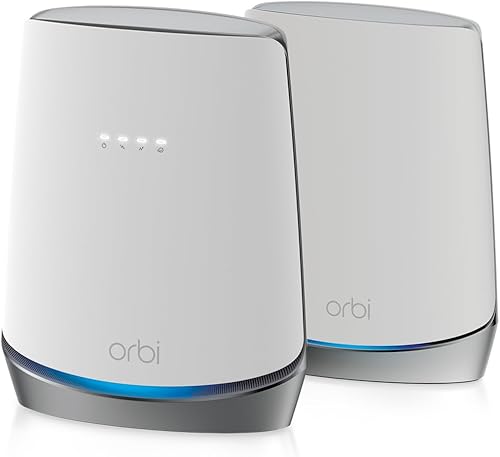
- DOCSIS 3.1 modem, WiFi 6 router and satellite
- Up to 5,000 sq ft stated coverage
- Tri-band AX4200 WiFi 6
- Four router and two satellite Gigabit ports
The CBK752 combines a cable modem with an Orbi router and satellite. The system provides tri-band AX4200 WiFi 6 and wired ports on both units.
Pros
- Router and satellite included
- Tri-band WiFi 6
- Wired Ethernet ports on both units
Cons
- Plan support varies by provider
- Not compatible with bundled voice plans
The Orbi CBK752 is the pick for a larger or spread-out home that needs a router and mesh satellite together. Its tri-band AX4200 WiFi 6 system has stated coverage up to 5,000 sq ft, with a dedicated backhaul band for communication between mesh units.
The router has four Gigabit Ethernet ports and the satellite has two.
The Orbi app guides setup and manages the network. Provider limits are Xfinity up to 900 Mbps, Spectrum up to 1 Gbps and Cox up to 1 Gbps.
Choose the CBK752 if one router may not cover the home and you want a modem included in the mesh system.
Skip it if you already have WiFi equipment or your provider plan exceeds the model’s stated limit. Coverage varies with the home’s layout and building materials.
What should you check before buying a Nighthawk modem?
Check your provider, plan speed and network equipment before choosing a NETGEAR Nighthawk modem. A model’s maximum capability cannot override the provider’s approved-device list or the service available at your address.
Is the best NETGEAR Nighthawk modem approved by your provider?
Compatibility differs by model, and plan limits are not the same across providers. NETGEAR names Xfinity, Spectrum and Cox for several picks, but the CAX30, CAX80 and CBK752 each have distinct provider limits.
Confirm the exact model and speed tier with your provider before ordering. Our guides to Xfinity compatible modems and Spectrum approved modems cover the details to check.
Do you need standalone equipment, built-in WiFi or mesh?
A standalone modem connects to a separate router, which gives you flexibility to upgrade WiFi without replacing the modem. The CAX30 and CAX80 combine modem and router functions, while the CBK752 adds a mesh satellite.
Think about where WiFi needs to reach and how many wired devices you use. Stated coverage is a guide, not a guarantee for every floor plan, wall type or placement.
Also check the Ethernet port on your router. A 2.5 Gig port on the modem helps only if the router can accept a matching connection and your provider plan supports that speed.
Can your plan use a multi-gig modem?
The CM2500 supports plans up to 2 Gbps, while the CM3000 and CM2000 are described for plans up to 2.5 Gbps. Your provider must offer the relevant speed and approve the modem for it.
The CM3000 also calls for confirmation of mid-split availability.
If your plan is closer to 1 Gbps, the CM1000 may be enough, subject to its provider-specific limit. For a broader look at DOCSIS 3.1 choices, see our best DOCSIS 3.1 cable modems guide and Gigabit modem guide.
Do you need voice service through your modem?
Most picks here are for internet service and do not support bundled voice plans. The CM2050V is the exception for Xfinity internet and voice, with support for up to two phone lines.
If you use home phone service, confirm whether your provider requires a voice-capable modem before choosing a model. Do not assume that a modem’s plan speed or Ethernet ports mean it supports telephone service.
How do you set up and care for a Nighthawk modem?
Set up a Nighthawk modem by connecting coax, powering it on, activating service with your provider and then connecting your router. Keep the provider’s activation details and your WiFi equipment ready before disconnecting an existing modem.
First, connect the modem to the active coax outlet and power it on. Give it time to start, then follow the Nighthawk app or browser prompts where supported.
Next, contact your provider or use its self-activation flow to register the new modem.
The modem needs ISP activation after setup, and activation steps differ by provider. Xfinity customers can self-activate the CM1000 online.
Connect a standalone modem to your router with Ethernet after activation. For a combo such as the CAX30 or CAX80, follow the app’s setup steps to configure the WiFi network; the Orbi CBK752 uses the Orbi app.
Place the modem and router in an open, ventilated spot near the coax connection and router wiring. Avoid stacking equipment or blocking vents, and keep cables seated firmly so a loose coax or Ethernet plug does not interrupt service.
Use the app to check modem status and run a speed test after activation. Keep firmware current through the available app or management tools, and if service drops, check the coax and power connections before restarting equipment.
What common mistakes lead to the wrong Nighthawk modem?
The most common mistake is choosing a model by its headline speed without checking provider approval, plan limits and router compatibility. A quick check of all three prevents paying for features your service or home network cannot use.
- Assuming every model supports every provider at the same speed: The CAX30 has different limits for Xfinity, Spectrum and Cox. Check the limit for your own provider.
- Buying a standalone modem without a WiFi plan: The CM2500, CM3000, CM1000, CM2000, CM2050V and CM1200 need separate WiFi equipment.
- Expecting a 2.5 Gig port to upgrade a slower router: The modem and router need compatible Ethernet connections, and the plan must offer the speed.
- Overlooking phone service: The CM2050V is the Xfinity Voice option in this group. Other models may not work with bundled voice plans.
- Treating coverage figures as a floor plan promise: Walls, layout and device placement affect WiFi reach. Consider mesh when one router is unlikely to cover the home.
- Skipping provider activation: A new modem generally needs to be registered with the ISP before internet service works.
Which NETGEAR Nighthawk modem should you choose?
Choose the CM2500 for a standalone multi-gig modem, the CAX30 for cable and WiFi in one box, and the CBK752 for a modem with mesh coverage. Pick the CM1000 for a provider-approved Gigabit plan, or the CM2050V when Xfinity Voice matters.
For a 2.5 Gig router connection, compare the CM3000 and CM2000 against your provider’s supported plan and equipment. Confirm model approval and service limits before ordering, then use our cable modem buying guide if you still need to compare modem types.
Our top 3 picks at a glance
-
1
-
2
-
3
Frequently asked questions
Which NETGEAR Nighthawk modem is best for most people?
The CM2500 is a strong fit for many multi-gig cable plans because it supports up to 2 Gbps download and 1 Gbps upload. It works with Xfinity, Spectrum, Cox and most US cable providers on internet plans up to 2 Gbps.
It is a standalone modem, so you need a separate router for WiFi.
Do NETGEAR Nighthawk modems include WiFi?
Some Nighthawk models include WiFi and others are standalone modems. The CAX30 and CAX80 combine a modem with a WiFi 6 router, while the CM2500, CM3000 and CM1000 need a separate router for wireless access.
The Orbi CBK752 adds a mesh satellite.
Can I use a NETGEAR Nighthawk modem with any cable provider?
No. Compatibility depends on the model and provider.
Several models support Xfinity, Spectrum and Cox, while the CM2050V is designed for Xfinity internet and voice service.
Confirm model compatibility and plan limits with your provider.
These models are for cable internet, not DSL or fiber.
What should I check before buying a multi-gig modem?
Check that your provider offers the plan speed and split support the modem needs, then make sure your router has a matching Ethernet port. The CM3000 has a 2.5 Gig port, and NETGEAR advises confirming mid-split availability with your provider.
Your plan, provider and home network affect the speed you can reach.