9 Best DOCSIS 3.1 Cable Modems (October 2026)
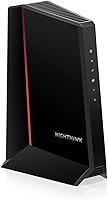
The best DOCSIS 3.1 cable modems include the ARRIS Surfboard SB8200 for most cable homes, the ARRIS Surfboard S34 for faster uploads, and the NETGEAR Nighthawk CM2500 for upload-heavy plans.
On this page (5 sections)
The ARRIS Surfboard SB8200 is the best DOCSIS 3.1 modem for most cable homes because it supports cable plans up to 2 Gbps and has two 1 Gigabit Ethernet ports. Pick the ARRIS S34 or Motorola MB8611 if you specifically need a 2.5 Gigabit port, and check your provider's model list before ordering.
DOCSIS 3.1 is a standard for cable internet, and the modem's maximum speed is only one part of the decision. The right choice also depends on your provider's approval, plan tier, router and whether you need voice service.
If you're comparing options for service near 1 Gbps, start with our guide to choosing a modem for gigabit internet. For provider-specific picks, see our Xfinity compatible modem guide or Spectrum approved modem list.
Our picks at a glance
-
1

-
2

-
3
How to choose the best DOCSIS 3.1 modem
The best DOCSIS 3.1 modem for you is the one your cable provider approves for your exact plan, with ports that fit your router. Start with compatibility, then consider speed, upload support and your home network.
A DOCSIS label alone doesn't tell you whether a modem will activate on your account. Models in this roundup have different provider lists and plan limits, even when their advertised maximum speeds look similar.
| Product | Best for | Plan support | Ethernet | Wi-Fi | Our score |
|---|---|---|---|---|---|
| ARRIS Surfboard SB8200 | most cable homes | Up to 2 Gbps | Two 1 Gigabit ports | Separate router required | 9.1 |
| ARRIS Surfboard S34 | faster uploads | Up to 2.5 Gbps | One 2.5 Gigabit and one 1 Gigabit port | Separate router required | 8.9 |
| NETGEAR Nighthawk CM2500 | upload-heavy plans | Up to 2 Gbps download and 1 Gbps upload | Two Gigabit ports with link aggregation | Separate router or mesh system required | 8.7 |
| Motorola MB8611 | multi-gig routers | Check your provider and plan tier | One 2.5 Gigabit port | Separate router required | 8.6 |
| Hitron CODA56 | one fast link | Up to 2.5 Gbps, subject to provider and plan | One 2.5 Gigabit port | Separate router required | 8.5 |
| Motorola MB8600 | gigabit households | One Gigabit port described for a single device | Separate router required | 8.2 | |
| NETGEAR Nighthawk CM1000 | entry gigabit | Up to 1 Gbps | One Gigabit port | Separate router or mesh system required | 8.0 |
| NETGEAR Nighthawk CM2000 | 2.5G wired access | Up to 2.5 Gbps | One 2.5 Gigabit port | Separate router required | 7.9 |
| NETGEAR Nighthawk CM1200 | wired device groups | Four Gigabit ports | Separate router required | 7.6 |
Best DOCSIS 3.1 modems for different cable plans
The ARRIS Surfboard SB8200 ranks first for a broad range of cable plans, while the other picks address faster wired links, higher uploads, gigabit tiers or several Ethernet connections. Confirm the exact modem and service tier with your provider before replacing rented equipment.
ARRIS Surfboard SB8200: Best for most cable homes
- DOCSIS 3.1
- Plans up to 2 Gbps
- Two 1 Gigabit Ethernet ports
- Router required for Wi-Fi
A well-rounded DOCSIS 3.1 choice with two Ethernet ports and support for cable plans up to 2 Gbps. Confirm provider approval and how its ports work with your service.
Pros
- Two 1 Gigabit Ethernet ports
- Supports plans up to 2 Gbps
- Qualified for Cox, Xfinity and Spectrum
Cons
- Requires a separate router for Wi-Fi
- Not for fiber, DSL or satellite
The SB8200 is a practical starting point if you want DOCSIS 3.1 support without needing a single 2.5 Gigabit connection. It supports cable plans up to 2 Gbps and is qualified for Cox, Xfinity and Spectrum.
Its two 1 Gigabit ports can connect to routers, but don't assume that two ports automatically provide a faster single connection. Ask your provider how the ports are configured for your service, and match the router's WAN port to the plan you pay for.
The SB8200 is a modem only. Connect coax and power, activate it with your provider, then connect a separate router or mesh system for Wi-Fi.
Choose the SB8200 for a flexible cable setup with two Gigabit ports. Skip it if your plan needs a direct 2.5 Gigabit connection or if your service is fiber, DSL or satellite.
ARRIS Surfboard S34: Best for faster uploads
- DOCSIS 3.1
- Plans up to 2.5 Gbps
- 2.5 Gigabit and 1 Gigabit ports
- Router required for Wi-Fi
The S34 pairs DOCSIS 3.1 with a 2.5 Gigabit port and support for next-generation upload tiers. Ask your provider whether your plan and network support those features.
Pros
- 2.5 Gigabit Ethernet port
- Supports plans up to 2.5 Gbps
- Qualified for Cox, Xfinity and Spectrum
Cons
- Requires a separate router for Wi-Fi
- Provider support varies by model and plan
The S34 pairs a 2.5 Gigabit Ethernet port with a second 1 Gigabit port. It supports cable plans up to 2.5 Gbps and next-generation upload tiers when the provider offers them.
Cox, Xfinity and Spectrum are among its qualified providers. The 1 Gigabit port can connect an additional wired device or serve as a backup handoff, depending on provider configuration.
You'll still need a separate router for Wi-Fi. Before buying, ask your provider about both the downstream plan limit and its next-generation upload support for the S34.
Choose the S34 for a multi-gig plan or supported faster-upload tier. If your plan tops out at 1 Gbps and your router has only Gigabit ports, you may not benefit from its faster Ethernet connection.
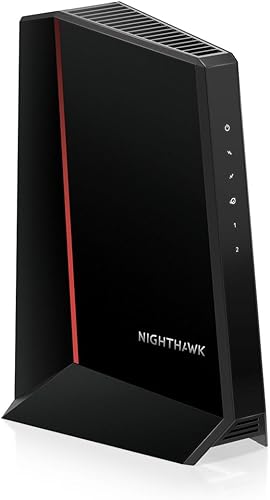
NETGEAR Nighthawk CM2500: Best for upload-heavy plans
- DOCSIS 3.1
- Download plans up to 2 Gbps
- Upload plans up to 1 Gbps
- Two Gigabit Ethernet ports
The CM2500 supports up to 2 Gbps download and 1 Gbps upload, with two Gigabit ports that can use link aggregation. Verify that your provider offers compatible mid-split service.
Pros
- Supports upload plans up to 1 Gbps
- Two Gigabit ports with link aggregation
- Guided setup through the Nighthawk app
Cons
- Requires a separate router for Wi-Fi
- Not compatible with bundled voice plans
The CM2500 supports plans up to 2 Gbps downstream and 1 Gbps upstream. Its higher upload capacity makes it a fit for plans that send large files or support frequent live streams, provided your provider offers compatible mid-split service.
Two Gigabit Ethernet ports can use link aggregation for speeds up to 2 Gbps. The modem also supports DOCSIS 3.1 Active Queue Management and guided setup through the Nighthawk app.
It works with Xfinity, Spectrum, Cox and most US cable providers, but it doesn't support bundled voice plans. ISP activation is required, and a separate router or mesh system provides Wi-Fi.
Choose the CM2500 when your provider confirms mid-split support and higher upload service. Skip it if you need bundled voice or a single 2.5 Gigabit Ethernet port.
Motorola MB8611: Best for multi-gig routers
- DOCSIS 3.1
- 2.5 Gigabit Ethernet port
- Supports downstream speeds up to 2,500 Mbps
- Router required for Wi-Fi
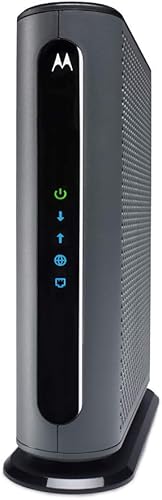
The MB8611 has one 2.5 Gigabit port and supports downstream speeds just below 2,500 Mbps when your plan allows. Check tier-level approval with your provider.
Pros
- 2.5 Gigabit Ethernet port
- Active Queue Management
- Two-year manufacturer warranty
Cons
- Requires a separate router for Wi-Fi
- Provider compatibility depends on plan tier
The MB8611 has one 2.5 Gigabit Ethernet port for a compatible router or wired device. It supports downstream speeds just below 2,500 Mbps and upstream speeds up to 800 Mbps when your plan allows.
It is approved for use with Xfinity, Cox and Spectrum, subject to tier-level compatibility. Active Queue Management is included, and Motorola provides a two-year manufacturer warranty.
This is a modem only, with no router or telephone capability. Check the provider's current approval for your address and speed tier, then pair the modem with a separate router.
Choose the MB8611 if you need a 2.5 Gigabit port and your provider approves it. If your plan and router use Gigabit connections, the faster modem port won't increase the speed of that link.
Hitron CODA56: Best for one fast link
- DOCSIS 3.1
- Plans up to 2.5 Gbps
- One 2.5 Gigabit Ethernet port
- Router required for Wi-Fi
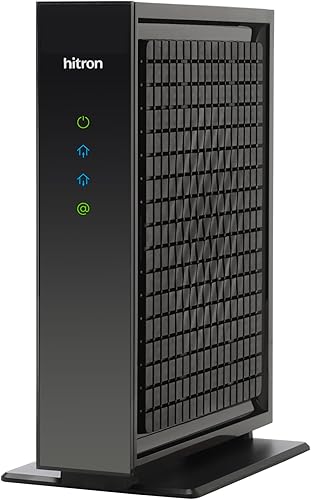
The CODA56 supports plans up to 2.5 Gbps and has one 2.5 Gigabit port. It suits a modem-and-router setup, but confirm your provider and plan are supported.
Pros
- 2.5 Gigabit Ethernet port
- Supports plans up to 2.5 Gbps
- Backward compatible with DOCSIS 3.0 networks
Cons
- Requires a separate router for Wi-Fi
- Not compatible with fiber, DSL, satellite or fixed wireless
The CODA56 supports cable plans up to 2.5 Gbps and has one 2.5 Gigabit port, subject to provider and plan support. Hitron names Xfinity, Spectrum and Cox among compatible providers.
This modem has no built-in Wi-Fi, and Hitron recommends a separate router with a 2.5 Gigabit port for full speeds. Check the router's WAN port before pairing it with a multi-gig plan.
The CODA56 is for cable internet only. It doesn't work with fiber, DSL, satellite or fixed wireless, and it has no voice port.
Choose the CODA56 for a simple modem-to-router multi-gig link. Skip it if you need Wi-Fi built in, multiple modem Ethernet ports or telephone service.
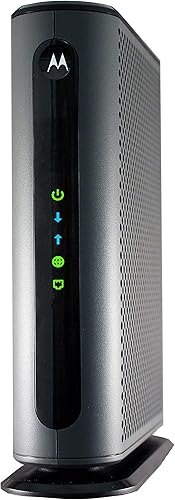
Motorola MB8600: Best for gigabit households
- DOCSIS 3.1
- Recommended for gigabit plans
- Pairs with a separate Wi-Fi router
- Active Queue Management
The MB8600 is recommended for gigabit internet and pairs with a separate router. Check your provider's current approval list and plan limits before buying.
Pros
- Recommended for gigabit plans
- Works with Xfinity, Cox and Spectrum
- Active Queue Management
Cons
- No built-in Wi-Fi
- Provider approval should be confirmed
Motorola recommends the MB8600 for gigabit internet plans. It pairs with a separate Wi-Fi router or mesh system and supports Active Queue Management.
Motorola identifies Xfinity, Cox and Spectrum among supported providers, but you should check current plan support before buying. The modem doesn't provide wireless access or telephone service.
The Ethernet port count is unclear, so don't choose it on the assumption that you can connect several wired devices directly. Use a router for your home network and confirm the provider's setup instructions.
Choose the MB8600 for a supported gigabit plan and a separate router. For plans above 1 Gbps, look at a model with an explicitly stated 2.5 Gigabit port.
NETGEAR Nighthawk CM1000: Best for entry gigabit

- DOCSIS 3.1
- Plans up to 1 Gbps
- One Gigabit Ethernet port
- Guided online setup
The CM1000 is a straightforward option for supported gigabit cable plans. NETGEAR gives different plan limits for Xfinity, Spectrum and Cox, so check the one that applies to you.
Pros
- DOCSIS 3.1 with DOCSIS 3.0 backward compatibility
- Guided browser or phone activation
- One Gigabit Ethernet port
Cons
- Plan limits vary by provider
- Requires a separate router for Wi-Fi
The CM1000 fits supported cable plans up to 1 Gbps, with one Gigabit Ethernet port for a router or computer. NETGEAR gives separate limits: up to 800 Mbps on Xfinity and up to 1 Gbps on Spectrum and Cox.
It supports DOCSIS 3.0 and 3.1 networks, with guided activation through a browser or provider call. A separate router or mesh system is needed for wireless access.
Check your provider's plan limit before you buy. An Xfinity customer on a plan above 800 Mbps should compare another modem, while a supported gigabit plan on Spectrum or Cox may fit.
Choose the CM1000 for a straightforward, provider-approved gigabit connection. Skip it for plans above the applicable limit or if you want a multi-gig port.
NETGEAR Nighthawk CM2000: Best for 2.5G wired access

- DOCSIS 3.1
- Plans up to 2.5 Gbps
- One 2.5 Gigabit Ethernet port
- Router required for Wi-Fi
The CM2000 pairs DOCSIS 3.1 with one 2.5 Gigabit Ethernet port for a direct multi-gig connection to a compatible router. Confirm provider approval and plan fit.
Pros
- 2.5 Gigabit Ethernet port
- Supports plans up to 2.5 Gbps
- Backward compatible with DOCSIS 3.0
Cons
- One Ethernet port
- Not compatible with bundled voice service
The CM2000 combines DOCSIS 3.1 with one 2.5 Gigabit Ethernet port and support for cable plans up to 2.5 Gbps. NETGEAR names Xfinity, Spectrum and Cox among major providers, subject to approval for your exact service.
Its single port connects to a compatible router for Wi-Fi throughout your home. It is backward compatible with DOCSIS 3.0, but it doesn't support bundled voice service.
Choose the CM2000 for a single multi-gig connection to your router or computer. Skip it if you need several Ethernet ports on the modem or bundled voice.
NETGEAR Nighthawk CM1200: Best for wired device groups

- DOCSIS 3.1
- Four Gigabit Ethernet ports
- Link aggregation can combine two ports
- Router required for Wi-Fi
The CM1200 offers four Gigabit Ethernet ports, with link aggregation described for combining two ports. Confirm which ports can be used together with your provider and network setup.
Pros
- Four Gigabit Ethernet ports
- Link aggregation for two ports
- DOCSIS 3.1
Cons
- Requires a separate router for Wi-Fi
- Does not support bundled voice service
The CM1200 has four Gigabit Ethernet ports, a fit for setups where several wired connections are useful. NETGEAR says link aggregation can combine two 1 Gigabit ports into a 2 Gigabit link.
Your provider and network must support the intended configuration, so confirm which ports can be used together before activation. The modem has no Wi-Fi, and a separate router is still needed for wireless service.
NETGEAR identifies Xfinity, Spectrum and Cox among compatible providers and excludes bundled voice service. Check provider plan limits and port instructions as part of the same compatibility check.
Choose the CM1200 when multiple wired ports are the deciding feature. For a single 2.5 Gigabit connection, compare the S34, MB8611, CODA56 or CM2000.
What should you check before buying a DOCSIS 3.1 modem?
Before buying the best DOCSIS 3.1 modem for your home, verify the exact model, service plan and connection type with your provider. This quick check prevents the common mistake of buying for a modem's maximum speed alone.
How do you confirm provider and plan compatibility?
Search the provider's current compatibility tool for the full model name, then check the supported speed tier. A modem can have different limits across providers: NETGEAR, for example, gives the CM1000 different limits for Xfinity, Spectrum and Cox.
Also check for bundled voice. Several models here exclude voice service, so a modem that works for internet may not replace equipment used for home phone service.
Our guides to modems for Xfinity and the Cox approved modem list can help you narrow the options by provider.
When is a 2.5 Gigabit port worth choosing?
A 2.5 Gigabit port is useful when your plan can exceed 1 Gbps and your router or wired device also has a matching port. If any link in that path is limited to 1 Gigabit, the connection may be capped there.
The S34, MB8611, CODA56 and CM2000 each have a 2.5 Gigabit port. The SB8200 has two 1 Gigabit ports, while the CM2500 has two Gigabit ports with link aggregation.
Compare your router's WAN port and your plan before paying for a faster modem connection. Our multi-gig cable modem guide covers more options built around faster wired links.
Do these modems need a separate router?
Yes. Every pick here is a modem only, so you'll need a separate router or mesh system for Wi-Fi.
Check the router's WAN port speed as well as its Wi-Fi capabilities. A fast modem can't make a slower router connection faster, and the router is what creates your home wireless network.
Use our step-by-step modem-to-router setup guide if you need help connecting the equipment.
Will DOCSIS 3.1 work with fiber or DSL?
No. DOCSIS 3.1 is for cable internet service, not fiber, DSL, satellite or fixed wireless connections.
If you're unsure which type of service enters your home, read what a cable modem is and how it works and confirm your service type with the provider before you buy.
How do you set up and care for a new cable modem?
To set up a cable modem, connect it to the coax outlet and power, activate it with your provider, then connect your router by Ethernet. Follow the provider's activation steps before troubleshooting a router or Wi-Fi issue.
- Confirm the outlet and service. Make sure your home has active cable internet and that the model is approved for your plan.
- Connect coax and power. Place the modem near the cable outlet and an available power socket. Keep its indicators visible so you can check its connection status.
- Activate with the provider. Use the provider's app, website or phone support. A modem can be connected physically and still need activation on your account.
- Connect the router. Run Ethernet from the modem to the router's WAN or internet port, then set up the router's Wi-Fi network.
- Check one wired connection first. If speeds seem low, confirm the plan, modem activation, Ethernet port speeds and router connection before changing Wi-Fi settings.
Give the modem room for airflow and keep it somewhere you can reach the coax, power and Ethernet cables. Avoid bending the coax sharply or placing equipment where cables can be pulled loose.
If the connection drops, check the status lights and confirm the power and coax connections are secure. For ongoing trouble, use the steps in our guide to fix a modem that won't connect to the internet.
Which DOCSIS 3.1 modem should you buy?
For most cable homes, pick the ARRIS Surfboard SB8200 if your provider approves it and its two Gigabit ports fit your plan. Choose the S34, MB8611, CODA56 or CM2000 when you need a 2.5 Gigabit port and the rest of your network can use it.
Choose the CM2500 when your provider confirms compatible mid-split service and you want stronger upload capacity. For gigabit plans, compare the MB8600 and CM1000 against the provider-specific limit; choose the CM1200 when several wired ports matter more than one multi-gig port.
Our top 3 picks at a glance
-
1
-
2
-
3
Frequently asked questions
What does DOCSIS 3.1 mean for a cable modem?
DOCSIS 3.1 is a cable modem standard used by cable internet providers. It supports gigabit and multi-gig service plans, but the modem's maximum capacity does not guarantee the speed you receive.
Your provider must approve the exact model and offer the speed tier at your address.
Do DOCSIS 3.1 modems work with every internet provider?
No. DOCSIS 3.1 modems are for cable internet, and each provider maintains its own approved models and plan limits.
Check the provider's current compatibility tool before buying, especially if you have a voice bundle or multi-gig plan.
Does a DOCSIS 3.1 modem include Wi-Fi?
The modems in this roundup are modem-only devices, so you'll need a separate Wi-Fi router or mesh system for wireless service.
Check the modem's Ethernet port and your router's WAN port if you want to use a plan above 1 Gbps.
Is a 2.5 Gigabit port necessary?
A 2.5 Gigabit port can connect a modem to a compatible router or computer on a plan above 1 Gbps. It won't raise your service speed by itself.
Your provider, plan, router and connected device all need to support the faster connection.
Can you use a DOCSIS 3.1 modem with a DOCSIS 3.0 plan?
Often, yes. Several models here are described as backward compatible with DOCSIS 3.0 networks, but provider approval still applies.
Check the exact modem model against your plan, and ask your provider whether it can activate the device on its current network.