8 Best Multi-Gig Cable Modems (October 2026)
The best multi-gig cable modems include the ARRIS Surfboard S34 for a 2.5 Gbps plan, the NETGEAR Nighthawk CM2500 for link aggregation, and the Motorola MB8611 for a simple router connection.
On this page (4 sections)
The ARRIS Surfboard S34 is the best multi-gig modem for most cable homes, combining a 2.5 Gbps port, a second 1 Gbps port and support for plans up to 2.5 Gbps. The NETGEAR CM2500 is a good fit if you want link aggregation, while the CM2050V is the choice for Xfinity Voice.
A modem cannot create a faster plan than your provider offers. Check the plan, model approval, upstream tier and router port together before replacing your current equipment.
Start with our DOCSIS 3.1 modem guide for more options, or use the gigabit modem guide if your service is at or below 1 Gbps. For provider-specific checks, see our guides to Xfinity compatible modems and the Cox approved modem list.
Our picks at a glance
-
1

-
2
-
3
Which multi-gig cable modem fits your plan?
The S34 is the strongest all-around pick because it supports plans up to 2.5 Gbps and has both 2.5 Gbps and 1 Gbps Ethernet ports. The other models suit different needs, including link aggregation, a single fast connection or Xfinity Voice.
We compared the stated plan support, Ethernet setup and provider notes for these models. Our score weighs specs, features and buyer feedback against what you're shopping for.
| Product | Best for | Plan support | Ethernet ports | Wi-Fi | Our score |
|---|---|---|---|---|---|
| ARRIS Surfboard S34 | a 2.5 Gbps plan | Up to 2.5 Gbps | One 2.5 Gbps and one 1 Gbps | Requires a separate router | 8.9 |
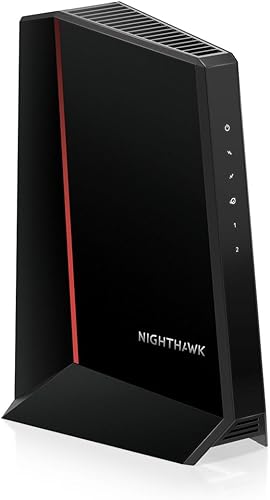
| NETGEAR Nighthawk CM2500 | link aggregation | Up to 2 Gbps | Two 1 Gbps ports | Requires a separate router | 8.7 |
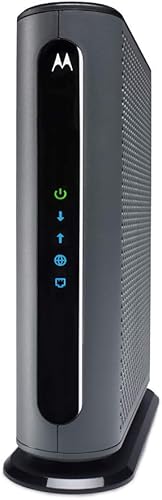
| Motorola MB8611 | a simple router connection | Up to 2,500 Mbps | One 2.5 Gbps | Requires a separate router | 8.6 |
| Hitron CODA56 | Xfinity, Spectrum or Cox | Up to 2.5 Gbps | One 2.5 Gbps | Requires a separate router | 8.5 |
| ARRIS Surfboard S33 | a second wired device | Up to 2.5 Gbps | One 2.5 Gbps and one 1 Gbps | Requires a separate router | 8.4 |
| NETGEAR Nighthawk CM3000 | higher upstream tiers | Up to 2.5 Gbps download and 1 Gbps upload, subject to plan | One 2.5 Gbps and two 1 Gbps ports | Requires a separate router | 8.3 |
| NETGEAR Nighthawk CM2000 | one multi-gig connection | Up to 2.5 Gbps | One 2.5 Gbps | Requires a separate router | 7.9 |
| NETGEAR Nighthawk CM2050V | Xfinity Voice | Cable plans up to 2.5 Gbps | One 2.5 Gbps | 7.7 |
The best multi-gig cable modems
The best choice depends on your provider's approved models and your router's port speed. Each modem below requires a separate router for Wi-Fi.
ARRIS Surfboard S34: Best for a 2.5 Gbps plan
- DOCSIS 3.1
- 2.5 Gbps Ethernet port
- Additional 1 Gbps Ethernet port
- Supports cable plans up to 2.5 Gbps
The S34 pairs a 2.5 Gbps port for a fast router with a second 1 Gbps port for another wired device. It supports cable plans up to 2.5 Gbps and next-generation upstream tiers offered by providers.
Pros
- 2.5 Gbps Ethernet port
- Second 1 Gbps port
- Supports next-generation upstream tiers
Cons
- Separate router required for Wi-Fi
- Check model support with your provider
The ARRIS Surfboard S34 has a 2.5 Gbps port for a compatible router and a second 1 Gbps port for another wired device or a provider-configured backup handoff.
It supports cable plans up to 2.5 Gbps and next-generation upstream tiers offered by providers. Check with your provider for a specific upload speed and model support.
The S34 is tested and qualified for Cox, Xfinity and Spectrum. It requires a separate router or mesh system for Wi-Fi and does not work with fiber, DSL or satellite service.
Choose it if your plan and router can use the added capacity. Its 2.5 Gbps and 1 Gbps ports give you options for a router and another wired device.
NETGEAR Nighthawk CM2500: Best for link aggregation
- DOCSIS 3.1
- Two Gigabit Ethernet ports
- Link aggregation up to 2 Gbps
- Supports plans up to 2 Gbps
The CM2500 can combine its two Gigabit Ethernet ports with a compatible router for speeds up to 2 Gbps. It supports plans up to 2 Gbps, with provider and mid-split availability to confirm.
Pros
- Link aggregation up to 2 Gbps
- Nighthawk app for setup and status
- Active Queue Management
Cons
- Separate router required for Wi-Fi
- Not compatible with bundled voice plans
The NETGEAR Nighthawk CM2500 suits a household with a compatible router that supports link aggregation. Its two Gigabit Ethernet ports can combine for speeds up to 2 Gbps, and it supports cable plans up to 2 Gbps.
It works with Xfinity, Spectrum, Cox and most US cable providers. Confirm mid-split availability with your provider; stated support reaches up to 2 Gbps download and 1 Gbps upload, with actual speeds depending on your plan and provider.
You can use the Nighthawk app for guided setup, modem status, speed tests and firmware management. The CM2500 has no built-in Wi-Fi and does not support bundled voice plans.
Pick this model if your router supports link aggregation and your service is approved for the CM2500. If you want a single 2.5 Gbps port instead, compare the S34 or MB8611.
Motorola MB8611: Best for a simple router connection
- DOCSIS 3.1
- One 2.5 Gbps Ethernet port
- Supports plans up to 2,500 Mbps
- Active Queue Management
The MB8611 has one 2.5 Gbps Ethernet port for a compatible router, keeping the connection straightforward. It supports Xfinity, Cox and Spectrum, with plan-tier compatibility to check.
Pros
- Single 2.5 Gbps port
- Active Queue Management
- Two-year warranty
Cons
- Separate router required for Wi-Fi
- No second Ethernet port
The Motorola MB8611 has one 2.5 Gbps Ethernet port for a router or wired device. It supports Xfinity, Cox and Spectrum, with plan-tier compatibility to check.
Active Queue Management is included to reduce internet latency, which may help with gaming, conferencing and streaming. The MB8611 is a modem only, so you'll need a separate Wi-Fi router for wireless devices.
Motorola includes a two-year warranty and says its US technician team provides free support. The single Ethernet port is the main trade-off: unlike the S34 or S33, it does not provide an extra wired port.
Choose the MB8611 if you want one fast Ethernet handoff and have verified the plan with your provider. If you need a second port, consider an ARRIS model with both 2.5 Gbps and 1 Gbps connections.
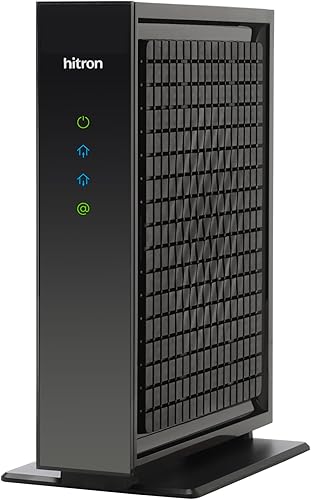
Hitron CODA56: Best for Xfinity, Spectrum or Cox
- DOCSIS 3.1
- 2.5 Gbps Ethernet port
- Supports plans up to 2.5 Gbps
- Router required for Wi-Fi
The CODA56 supports plans up to 2.5 Gbps and has a matching 2.5 Gbps port. It is intended for cable service, with Xfinity, Spectrum and Cox among its compatible providers.
Pros
- 2.5 Gbps port
- Supports plans up to 2.5 Gbps
- DOCSIS 3.1
Cons
- Separate router required for Wi-Fi
- Verify service type and plan with your provider
The Hitron CODA56 supports cable plans up to 2.5 Gbps and has a matching 2.5 Gbps Ethernet port. Xfinity, Spectrum and Cox are among its compatible providers.
The modem does not include Wi-Fi. Hitron says you'll need a separate router with a 2.5 Gbps port to use the full multi-gig connection, and ISP activation is required after setup.
Its single Ethernet port provides no second modem port for another wired device. The CODA56 is not for fiber, DSL, satellite or fixed wireless service.
Choose it if your cable provider approves the CODA56 for your plan and you have, or plan to add, a suitable router. For a second wired port, compare the S34 or S33.
ARRIS Surfboard S33: Best for a second wired device

- DOCSIS 3.1
- One 2.5 Gbps and one 1 Gbps Ethernet port
- Supports plans up to 2.5 Gbps
- Two-year limited warranty
The S33 pairs a 2.5 Gbps port with a second 1 Gbps port, giving you options for a router and another wired device. It supports cable plans up to 2.5 Gbps.
Pros
- Two Ethernet ports at different speeds
- Supports plans up to 2.5 Gbps
- Two-year limited warranty
Cons
- Separate router required for Wi-Fi
- Confirm provider support
The ARRIS Surfboard S33 has one 2.5 Gbps Ethernet port and one 1 Gbps port. It supports cable plans up to 2.5 Gbps, with room to connect a router and another wired device.
It requires a separate router or mesh system for Wi-Fi. The S33 is compatible with Xfinity, Cox and Spectrum; check model and plan support with your provider.
The S33 has a two-year limited warranty. It can suit you if you want two Ethernet ports and a 2.5 Gbps connection for a compatible router.
See our ARRIS Surfboard S33 review for more about its place in the ARRIS lineup.
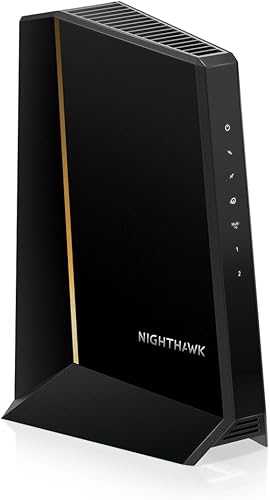
NETGEAR Nighthawk CM3000: Best for higher upstream tiers
- DOCSIS 3.1
- 2.5 Gbps plus two 1 Gbps ports
- Supports up to 1 Gbps upload on stated plans
- Nighthawk app setup
The CM3000 combines a 2.5 Gbps port with two 1 Gbps ports. NETGEAR says supported plans can reach 2.5 Gbps download and 1 Gbps upload, but provider approval and mid-split availability matter.
Pros
- 2.5 Gbps port plus two Gigabit ports
- Nighthawk app for setup and status
- Active Queue Management
Cons
- Separate router required for Wi-Fi
- Check provider and plan support
The NETGEAR Nighthawk CM3000 has a 2.5 Gbps Ethernet port and two 1 Gbps ports. A compatible router can combine the Gigabit ports for speeds up to 2 Gbps, or use the 2.5 Gbps port for a faster connection.
NETGEAR describes support for plans up to 2.5 Gbps download and 1 Gbps upload, while its compatibility guidance also cites plans up to 2 Gbps. Confirm the plan ceiling, provider approval and mid-split availability with your cable provider.
The Nighthawk app supports setup and modem status checks. The CM3000 has no built-in Wi-Fi and is not compatible with bundled voice plans.
Choose it if you want several Ethernet options and have verified your service tier. Read our NETGEAR Nighthawk CM3000 review for a closer look at its ports and fit.
NETGEAR Nighthawk CM2000: Best for one multi-gig connection

- DOCSIS 3.1
- One 2.5 Gbps Ethernet port
- For cable plans up to 2.5 Gbps
- Works with a separate Wi-Fi router
The CM2000 has a single 2.5 Gbps Ethernet port for a router or computer and is intended for cable plans up to 2.5 Gbps. It is not compatible with bundled voice service.
Pros
- One 2.5 Gbps Ethernet port
- DOCSIS 3.1 with 32x8 channel bonding
- Works with a separate router
Cons
- No second Ethernet port
- Not compatible with bundled voice service
The NETGEAR Nighthawk CM2000 has one 2.5 Gbps Ethernet port and is intended for cable plans up to 2.5 Gbps. It works with a separate Wi-Fi router, which should have an internet port that matches your plan speed.
NETGEAR names Xfinity, Spectrum and Cox among compatible providers. The CM2000 uses DOCSIS 3.1 with 32x8 channel bonding and OFDM(A) 2x2, and is not compatible with bundled voice service.
There is no second Ethernet port, so this model is best for a connection to one router or computer. Check model approval and plan support with your provider before activation.
Choose the CM2000 if a single multi-gig Ethernet connection is all your home network needs. If you need voice service or multiple ports on the modem, look at the CM2050V or S34.
NETGEAR Nighthawk CM2050V: Best for Xfinity Voice

- DOCSIS 3.1
- One 2.5 Gbps Ethernet port
- Two phone lines
- Designed for Xfinity Internet and Voice
The CM2050V combines a 2.5 Gbps Ethernet port with support for up to two Xfinity Voice lines. It is the specialized pick here for a home that wants both cable internet and compatible phone service.
Pros
- Supports up to two Xfinity Voice lines
- 2.5 Gbps Ethernet port
- Works with a separate Wi-Fi router
Cons
- Xfinity Voice focused
- Separate router required for Wi-Fi
The NETGEAR Nighthawk CM2050V is the specialized choice for Xfinity customers who also use Voice. It supports up to two phone lines and has one 2.5 Gbps Ethernet port for a separate Wi-Fi router or wired connection.
NETGEAR certifies the CM2050V for Xfinity Internet and Voice service. Confirm that your Xfinity plan and voice features work with this model before changing equipment.
The phone capability makes it different from the other picks, but limits it to homes with compatible Xfinity service. A separate router is required for Wi-Fi.
Choose the CM2050V if keeping Xfinity Voice is part of your decision. For cable internet without a phone-line need, one of the other modems offers a broader fit.
What should you check before buying a multi-gig modem?
Before buying, confirm provider approval, plan speed and router port speed. A modem that supports multi-gig service cannot overcome a lower plan tier or a slower connection elsewhere in your home network.
Does your provider approve the modem and plan?
Ask your cable provider whether the exact model is approved for your address and plan. Compatibility can differ by provider and tier, even when a modem names that provider.
Also confirm whether your plan uses a mid-split or high-split upstream tier. NETGEAR's CM2500 and CM3000 guidance says to check mid-split availability, and ARRIS describes the S34 as supporting next-generation upstream tiers offered by providers.
Can your router handle the modem's speed?
Check the router's internet-facing Ethernet port. A 1 Gbps WAN port can limit a faster modem connection, even when your service and modem support multi-gig speeds.
The CM2500 uses two Gigabit ports with link aggregation for up to 2 Gbps, which requires a compatible router. Other picks use a 2.5 Gbps port, so match the router to that connection if you want to use a multi-gig plan.
Do you need Wi-Fi or phone service built in?
These picks are standalone modems and require a separate router or mesh system for Wi-Fi. The CM2050V is the exception for phone-line needs, with support for up to two Xfinity Voice lines.
If you are comparing a separate modem and router with an all-in-one device, see our guide to cable modem router combos. For a refresher on the equipment roles, read what a cable modem does.
Which multi-gig modem should you choose?
Choose the ARRIS Surfboard S34 for a balanced 2.5 Gbps setup with a second wired port, the CM2500 for link aggregation, and the CM2050V if you need Xfinity Voice. For a single multi-gig Ethernet connection, compare the MB8611, CODA56 and CM2000 against your provider's approved model list.
If your plan is only gigabit, the extra port capacity may not change your service experience. Start with our gigabit modem guide and verify the modem with your provider before switching.
Our top 3 picks at a glance
-
1
-
2
-
3
Frequently asked questions
What makes a cable modem multi-gig?
A multi-gig cable modem has a connection path that can support internet service above 1 Gbps. Check both the modem's supported plan speeds and its Ethernet ports, then confirm that your provider offers and approves that speed at your address.
A 2.5 Gbps port alone does not raise the speed of a lower-tier plan.
Does a 2.5 Gbps modem need a 2.5 Gbps router?
To pass a multi-gig connection to your home network, the router's internet port should support at least the speed you expect to use. A 1 Gbps router port can limit the connection even when the modem supports a faster plan.
Check the router port and the devices or Wi-Fi system that will share the connection.
Can I use a multi-gig modem with any cable provider?
No. Provider approval depends on the modem model, your plan and local network support.
The S34, S33, MB8611 and CODA56 identify Xfinity, Cox and Spectrum compatibility, while NETGEAR models list provider and plan limits that differ.
Confirm the exact model with your provider before switching.
Do multi-gig cable modems include Wi-Fi?
The modems in this guide require a separate Wi-Fi router or mesh system for wireless coverage. Connect a compatible router to the modem, and check that its internet port can handle your plan speed.
Without a router, devices may need a direct Ethernet connection, depending on the modem.
Which multi-gig modem supports Xfinity Voice?
The NETGEAR Nighthawk CM2050V is the voice-focused pick here, with support for up to two Xfinity Voice lines. Its compatibility is specific to Xfinity, so check that your internet plan and voice service are supported before buying.
The other picks are modem-only options without phone-line support.