9 Best Modems for Xfinity Internet (October 2026)
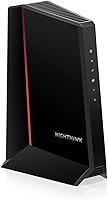
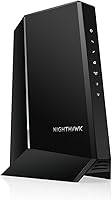
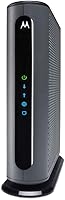
The best modems for Xfinity internet include the ARRIS Surfboard SB8200 for most households, the ARRIS Surfboard S34 for multi-gig routers, and the NETGEAR Nighthawk CM2500 for app guided setup.
On this page (14 sections)
- Which modem is best for Xfinity by plan and need?
- 1. ARRIS Surfboard SB8200: Best for most households
- 2. ARRIS Surfboard S34: Best for multi-gig routers
- 3. NETGEAR Nighthawk CM2500: Best for app guided setup
- 4. Motorola MB8611: Best for one multi-gig link
- 5. NETGEAR Nighthawk CM3000: Best for higher upload tiers
- 6. NETGEAR Nighthawk CM1000: Best for plans under 800 Mbps
- 7. NETGEAR Nighthawk CM2050V: Best for voice and fast plans
- 8. ARRIS Surfboard T25: Best for voice on basic tiers
- 9. NETGEAR Nighthawk CM1150V: Best for several wired devices
- How do you choose the best modem for Xfinity?
- What should you check before switching to your own modem?
- How do you set up and care for an Xfinity modem?
- Which Xfinity modem should you pick?
The ARRIS Surfboard SB8200 is the best modem for Xfinity for most homes that already have a Wi-Fi router and want a DOCSIS 3.1 cable modem. It offers two Gigabit Ethernet ports, and its stated cable plan capacity is higher than the Xfinity limit published for some more basic picks here.
The best choice still depends on your exact Xfinity speed tier, whether you use Xfinity Voice, and the Ethernet ports on your router. A modem's maximum capacity does not raise the speed included with your plan, and Xfinity approval can vary by model and tier.
All nine picks are standalone cable modems, so you'll need a separate router or mesh system for Wi-Fi. Before buying, check the current Xfinity compatibility list for the exact model and plan, then compare the modem's Ethernet connection with your router.
For model approval details, start with our Xfinity compatible modem guide. The cable modem buying guide explains plan speeds, ports, and provider checks if you want to compare the wider set of tradeoffs.
Our picks at a glance
-
1

-
2

-
3
Which modem is best for Xfinity by plan and need?
The SB8200 is the most balanced pick for many homes with a conventional Gigabit router, while the S34 suits a network that can use a 2.5 Gigabit connection. Voice service narrows the choice to the CM2050V, T25, or CM1150V.
This roundup compares the stated plan limits, Ethernet connections, voice support, and setup tools. The scores reflect how well those features match common Xfinity needs, including the practical limits of each modem.
| Product | Best for | Plan support | Ethernet | Voice | Our score |
|---|---|---|---|---|---|
| ARRIS Surfboard SB8200 | most households | Up to 2 Gbps, provider plan limits apply | Two 1 Gigabit ports | No phone ports stated | 9.1 |
| ARRIS Surfboard S34 | multi-gig routers | Up to 2.5 Gbps, provider plan limits apply | One 2.5 Gigabit and one 1 Gigabit port | No phone ports stated | 8.9 |
| NETGEAR Nighthawk CM2500 | app guided setup | Up to 2 Gbps, provider plan limits apply | Two Gigabit ports with link aggregation | Not compatible with bundled voice plans | 8.7 |
| Motorola MB8611 | one multi-gig link | Check Xfinity tier compatibility | One 2.5 Gigabit port | No telephone capability | 8.6 |
| NETGEAR Nighthawk CM3000 | higher upload tiers | Up to 2.5 Gbps, provider plan limits apply | One 2.5 Gigabit port and two 1 Gigabit ports | Not compatible with bundled voice plans | 8.3 |
| NETGEAR Nighthawk CM1000 | plans under 800 Mbps | Xfinity plans up to 800 Mbps | One Gigabit port | Not compatible with bundled voice plans | 8.0 |
| NETGEAR Nighthawk CM2050V | voice and fast plans | Cable plans up to 2.5 Gbps | One 2.5 Gigabit port | Supports up to two telephone lines | 7.7 |
| ARRIS Surfboard T25 | voice on basic tiers | Xfinity plans up to 800 Mbps | Two 1 Gigabit ports stated in product title | Xfinity Voice support | 7.3 |
| NETGEAR Nighthawk CM1150V | several wired devices | Xfinity plans up to 800 Mbps | Four Gigabit ports | Supports up to two telephone lines | 6.8 |
1. ARRIS Surfboard SB8200: Best for most households
ARRIS Surfboard SB8200: Best for most households
- DOCSIS 3.1
- Two 1 Gigabit Ethernet ports
- Supports cable plans up to 2 Gbps
- Modem only
The SB8200 is a practical fit if you want a DOCSIS 3.1 modem with two Gigabit ports and already have a separate router. Confirm its approval for your exact Xfinity plan.
Pros
- Two Ethernet ports
- DOCSIS 3.1
- Tested and qualified for Xfinity
Cons
- Requires a separate Wi-Fi router
- Two 1 Gigabit ports may limit a single wired connection
The SB8200 is a strong default for a household with a separate router and an Xfinity plan the provider approves for this model. Its two Gigabit Ethernet ports provide flexibility when connecting compatible networking equipment.
ARRIS says the SB8200 supports cable plans up to 2 Gbps and is qualified for Xfinity use. The provider's approval for your exact plan matters more than that maximum, so confirm the model and tier before switching.
This is a modem only, so it won't create a Wi-Fi network by itself. Pick it if your current router has a Gigabit WAN port and you don't need telephone service through the modem.
Skip it if your router has a 2.5 Gigabit WAN port that you plan to use, or if you need Xfinity Voice. The S34 offers a faster Ethernet connection, while the voice picks add phone support.
2. ARRIS Surfboard S34: Best for multi-gig routers
ARRIS Surfboard S34: Best for multi-gig routers
- DOCSIS 3.1
- One 2.5 Gigabit port and one 1 Gigabit port
- Supports plans up to 2.5 Gbps
- Modem only
The S34 adds a 2.5 Gigabit Ethernet port for a compatible router and includes a second Gigabit port. Its plan fit and next generation upload support depend on Xfinity availability.
Pros
- 2.5 Gigabit Ethernet port
- Second Ethernet port for a wired device
- Tested and qualified for Xfinity
Cons
- Requires a separate Wi-Fi router
- Confirm plan and upload tier support
The S34 is the clearest fit when your router has a 2.5 Gigabit WAN port and Xfinity approves the modem for your service. It combines that faster port with a second 1 Gigabit Ethernet port.
ARRIS gives the S34 a cable plan capacity up to 2.5 Gbps and support for next generation upload tiers. Those capabilities only help when the Xfinity plan, local network, router, and connected devices also support them.
The S34 is a modem, not a Wi-Fi router. Choose it if you're building a network around a multi-gig router and want a second Ethernet connection available, subject to provider configuration.
Skip it if you have a basic Gigabit router and no plan to change it. In that setup, the faster port may sit unused; the SB8200 is the more direct match.
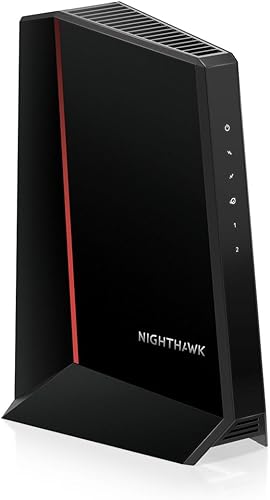
3. NETGEAR Nighthawk CM2500: Best for app guided setup
NETGEAR Nighthawk CM2500: Best for app guided setup
- DOCSIS 3.1
- Supports up to 2 Gbps download and 1 Gbps upload
- Two Gigabit Ethernet ports
- Nighthawk app setup
The CM2500 pairs with a router or mesh system of your choice and supports link aggregation across its two Gigabit ports. Check Xfinity approval for your plan and confirm mid-split availability.
Pros
- App-guided setup
- Two Gigabit ports
- Active Queue Management
Cons
- No built-in Wi-Fi
- Not compatible with bundled voice plans
The CM2500 suits buyers who want a standalone modem and guided setup through the Nighthawk app. It supports plans up to 2 Gbps download and 1 Gbps upload according to NETGEAR, with two Gigabit Ethernet ports.
Compatible equipment can combine the two ports through link aggregation. That feature depends on the router and its configuration, so check the router's manual before counting on a combined connection.
NETGEAR says the CM2500 works with Xfinity, but activation is still required. Confirm its current approval for your plan and ask Xfinity whether the relevant mid-split service is available at your address.
Skip this model if you need bundled voice service or want Wi-Fi built into the modem. It also won't deliver link aggregation benefits with a router that doesn't support the feature.
4. Motorola MB8611: Best for one multi-gig link
Motorola MB8611: Best for one multi-gig link
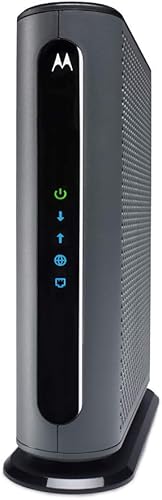
- DOCSIS 3.1
- One 2.5 Gigabit Ethernet port
- Supports downstream speeds below 2,500 Mbps
- Requires a separate router
The MB8611 offers one 2.5 Gigabit port for a compatible router or computer. Motorola advises checking compatibility by service tier before you choose it.
Pros
- 2.5 Gigabit Ethernet port
- Active Queue Management
- Two-year warranty
Cons
- Only one Ethernet port
- Requires a separate Wi-Fi router
The MB8611 has one 2.5 Gigabit Ethernet port for a compatible router or computer. Motorola names Xfinity among supported providers and recommends checking compatibility for the specific service tier.
Motorola describes Active Queue Management as a way to reduce latency for activities such as gaming, conferencing, and streaming. The modem still needs a separate router for Wi-Fi and has no telephone capability.
Choose the MB8611 if you want one multi-gig connection and Xfinity confirms support for your plan. Its two-year manufacturer warranty is another useful detail for buyers comparing long-term equipment coverage.
Skip it if you need multiple Ethernet ports directly on the modem or Xfinity Voice phone support. The S34 has a second Ethernet port, and the voice models are designed for home phone service.
5. NETGEAR Nighthawk CM3000: Best for higher upload tiers
NETGEAR Nighthawk CM3000: Best for higher upload tiers
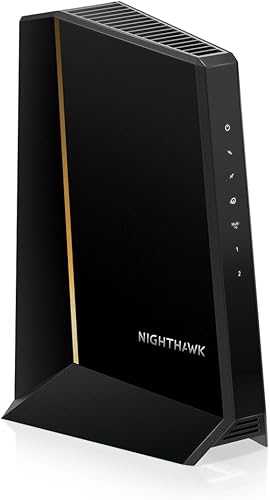
- DOCSIS 3.1
- 2.5 Gigabit Ethernet port
- Supports up to 2.5 Gbps download and 1 Gbps upload
- Nighthawk app setup
The CM3000 has a 2.5 Gigabit port and supports higher upload tiers where the provider offers them. Confirm Xfinity plan approval and mid-split availability before buying.
Pros
- 2.5 Gigabit port
- Two additional Gigabit ports
- App-guided setup
Cons
- No built-in Wi-Fi
- Not compatible with bundled voice plans
The CM3000 is aimed at plans and networks that can make use of its 2.5 Gigabit port and higher upload support. NETGEAR describes capacity up to 2.5 Gbps download and 1 Gbps upload, subject to the provider's plan and network.
It also has two 1 Gigabit ports, which can be combined with link aggregation on compatible equipment. NETGEAR advises confirming mid-split availability with the provider, so check local support before choosing it for upload capacity.
The Nighthawk app provides setup guidance and modem status tools. As with the CM2500, the modem needs a separate Wi-Fi router and is not compatible with bundled voice plans.
Skip it if you won't use multi-gig connectivity, don't need higher upload support, or your router lacks a compatible port. Check the exact port arrangement and Xfinity approval before relying on its maximum capacity.
6. NETGEAR Nighthawk CM1000: Best for plans under 800 Mbps
NETGEAR Nighthawk CM1000: Best for plans under 800 Mbps

- DOCSIS 3.1
- One Gigabit Ethernet port
- Xfinity plan support up to 800 Mbps
- Browser or phone activation
The CM1000 is a simpler match for Xfinity plans up to 800 Mbps, with one Gigabit port for your router. It does not include Wi-Fi.
Pros
- Defined Xfinity plan limit
- DOCSIS 3.1
- Xfinity online self-activation is supported
Cons
- One Ethernet port
- Not suited to plans above its stated Xfinity limit
The CM1000 fits Xfinity plans up to 800 Mbps and provides one Gigabit Ethernet port for a router. Its defined Xfinity plan limit makes it easier to rule in or out than models with broader provider-dependent limits.
NETGEAR describes activation by browser or phone, including online self-activation for Xfinity customers. After activation, connect its Ethernet port to your router to provide Wi-Fi across your home.
Choose it when your plan is within that limit and your router has a Gigabit WAN port. Skip it if you're on a faster tier, need voice service, or want a multi-gig Ethernet connection.
7. NETGEAR Nighthawk CM2050V: Best for voice and fast plans
NETGEAR Nighthawk CM2050V: Best for voice and fast plans

- Xfinity Internet and Voice certified
- Supports plans up to 2.5 Gbps
- Two telephone lines
- One 2.5 Gigabit Ethernet port
The CM2050V combines Xfinity voice support with a 2.5 Gigabit port and support for plans up to 2.5 Gbps. It suits households that need both internet and home phone service.
Pros
- Xfinity Internet and Voice compatibility
- Two phone lines
- 2.5 Gigabit Ethernet
Cons
- Xfinity only
- Requires a separate Wi-Fi router
The CM2050V is the voice pick for households that want Xfinity Internet and Xfinity Voice with a faster plan. NETGEAR identifies it as Xfinity compatible, supports up to two telephone lines, and gives it a 2.5 Gigabit Ethernet port.
The model supports cable plans up to 2.5 Gbps according to its product information. Confirm approval for your account and tier with Xfinity, since provider compatibility can be plan specific.
Connect a separate Wi-Fi router for wireless access. Choose the CM2050V if you need phone service and your home network can use its multi-gig port.
Skip it if you don't use Xfinity Voice, have a non-Xfinity provider, or want Wi-Fi included in the modem. A regular standalone modem may suit an internet-only household better.
8. ARRIS Surfboard T25: Best for voice on basic tiers
ARRIS Surfboard T25: Best for voice on basic tiers

- DOCSIS 3.1
- Xfinity Internet and Voice
- Plans up to 800 Mbps
- SURFboard Central app setup
The T25 is an Xfinity Internet and Voice option for plans up to 800 Mbps. It needs a separate Wi-Fi router for wireless coverage.
Pros
- Supports Xfinity Voice
- DOCSIS 3.1
- App-based activation
Cons
- Plan limit is 800 Mbps
- Requires a separate Wi-Fi router
The T25 combines Xfinity Internet and Voice support for plans up to 800 Mbps. It also needs a separate Wi-Fi router, so plan for both devices if you don't already have wireless equipment.
ARRIS describes app based setup through SURFboard Central. The product title gives two Gigabit ports, while its voice function is the main reason to consider it over a standard modem.
Choose the T25 if you use Xfinity Voice and have a plan within its stated limit. Skip it for internet only service or a faster tier; check current Xfinity approval before replacing equipment.
9. NETGEAR Nighthawk CM1150V: Best for several wired devices
NETGEAR Nighthawk CM1150V: Best for several wired devices

- Xfinity Internet and Voice up to 800 Mbps
- Two phone lines
- Four Gigabit Ethernet ports
- DOCSIS 3.1
The CM1150V provides Xfinity voice support and four Ethernet ports for wired devices or a separate router. Its stated Xfinity plan limit is 800 Mbps.
Pros
- Four Gigabit Ethernet ports
- Two telephone lines
- Xfinity Voice support
Cons
- Plan limit is 800 Mbps
- No built-in Wi-Fi
The CM1150V is a voice modem with four Gigabit Ethernet ports and support for up to two telephone lines. NETGEAR gives it an Xfinity plan limit of 800 Mbps, which makes it a focused option for voice households below that ceiling.
Its Ethernet ports can serve wired devices or a separate router. NETGEAR also describes link aggregation across two ports for compatible equipment, but check your router's support before planning around combined speeds.
Choose it if you need Xfinity Voice and several wired connections in one place. Skip it if your plan exceeds 800 Mbps, you don't use voice, or you expect the modem to provide wireless coverage.
How do you choose the best modem for Xfinity?
Choose the best modem for Xfinity by matching provider approval, plan speed, router connection, and voice needs. Check those details before comparing secondary features such as app setup or extra Ethernet ports.
Does the best modem for Xfinity need DOCSIS 3.1?
All nine picks here use DOCSIS 3.1, but that doesn't make them interchangeable. Each has different stated plan limits, Ethernet ports, and voice capabilities, and Xfinity approval may vary by model and speed tier.
Check Xfinity's current compatibility list for the precise model and plan you have. Our DOCSIS 3.1 modem guide explains what the standard means when you're comparing cable modems.
Do you need a 2.5 Gigabit Ethernet port?
A 2.5 Gigabit port is useful when your plan and router can both use a connection faster than 1 Gigabit. The S34, MB8611, CM3000, and CM2050V each have a 2.5 Gigabit port.
A modem with a high maximum speed can't make a Gigabit router faster. If you plan to use the faster connection, check the router's WAN port and make sure Xfinity supports the modem on your tier.
Should you choose a modem with Xfinity Voice?
Choose a voice modem if you want your own equipment to support Xfinity home phone service. The CM2050V, T25, and CM1150V are the voice models in this guide.
The CM2050V supports two phone lines and is the choice here for a faster plan. The T25 and CM1150V are options for plans up to 800 Mbps, so match the plan limit as well as the voice feature.
Do these modems include a router?
No, these are standalone modems, so you'll need a separate Wi-Fi router or mesh system for wireless coverage. The modem connects your home to cable internet; the router shares that connection with your wireless devices.
If you prefer one device for modem and Wi-Fi functions, compare cable modem router combos. Check that any combo you consider is approved for your Xfinity service.
What should you check before switching to your own modem?
Before buying, confirm the exact modem model is approved for your Xfinity plan and supports any voice service you use. Also check whether your router has the right Ethernet port for the speed you want to use.
Write down your plan tier, router model, and whether you have Xfinity Voice. Those three details narrow the choices quickly: a conventional Gigabit router points toward the SB8200, a compatible multi-gig router makes the S34 or another 2.5 Gigabit pick more relevant, and voice service points to the three voice models.
Check whether you already have a router or mesh system. Since all picks here are modem only, you need that second device for Wi-Fi; if you don't have one, compare the total equipment you need before choosing a modem.
For approval and plan details, use our Xfinity compatibility guide. If you keep home phone service, see the Xfinity voice modem guide before you switch.
How do you set up and care for an Xfinity modem?
Set up the modem by connecting the coax cable and power, activating it with Xfinity, and then connecting its Ethernet port to your router. The exact activation steps vary by model, so follow Xfinity's instructions and the modem's setup guide or app.
Place the modem where its status lights are visible and where the coax and power connections can sit without strain. Keep the area around it clear, and avoid repeatedly unplugging or moving cables when the connection is working.
After activation, check that the modem is online before troubleshooting Wi-Fi. If the modem is online but wireless devices have problems, focus on the router and its placement; if the modem won't connect, see our guide to modem connection fixes.
What mistakes should you avoid when buying?
The most common buying mistake is choosing by the biggest speed number alone. A modem's capacity, Xfinity's approval for your plan, your subscribed tier, and your router's port all need to line up.
Another mistake is expecting a standalone modem to provide Wi-Fi. Budget for a router or mesh system if you don't already own one, and check that the router can use the modem's faster Ethernet port if multi-gig speed is your goal.
Don't overlook home phone service. Internet-only models in this guide are not substitutes for the voice picks, and NETGEAR notes that some of its modems are not compatible with bundled voice plans.
Finally, don't assume link aggregation works with every router. It requires compatible equipment and configuration, so a pair of Gigabit ports doesn't automatically act like one faster port.
Which Xfinity modem should you pick?
Pick the SB8200 for a balanced DOCSIS 3.1 modem with two Gigabit ports and a separate Gigabit router. Choose the S34 if your router has a 2.5 Gigabit port and Xfinity confirms support for your plan.
For an Xfinity Voice account, choose the CM2050V for a faster plan or consider the T25 and CM1150V when your plan is within 800 Mbps. The CM1000 is the straightforward internet-only option for plans up to 800 Mbps.
The best modem for Xfinity is the one approved for your exact tier and matched to your router and phone needs. Confirm those details with Xfinity before changing equipment, then use the Xfinity compatible modem guide for the next check.
Our top 3 picks at a glance
-
1
-
2
-
3
Frequently asked questions
What is the best modem for Xfinity?
The ARRIS Surfboard SB8200 is a strong fit for many Xfinity homes because it has DOCSIS 3.1 and two Gigabit Ethernet ports. Choose a different model if your plan needs a 2.5 Gigabit port or you use Xfinity Voice.
Check Xfinity's current compatibility list for your plan before you buy.
Can I use my own modem with Xfinity?
Yes, Xfinity allows compatible customer-owned modems on supported plans. You still need to activate the modem with Xfinity, and compatibility can vary by model and plan.
Use our Xfinity compatible modem guide to check the approval steps and plan details.
Do these cable modems include Wi-Fi?
No, the models in this roundup are standalone modems. Connect a separate Wi-Fi router or mesh system to provide wireless coverage around your home.
If you want one device for modem and Wi-Fi functions, see our guide to cable modem router combos.
Do I need a voice modem for Xfinity?
You need a voice compatible modem if you want to keep Xfinity Voice home phone service with your own equipment. The CM2050V, T25 and CM1150V in this guide include Xfinity Voice support.
Compare the Xfinity voice modem options before choosing.