7 Best Modems for Cox Internet (October 2026)
The best Cox compatible cable modems include the ARRIS Surfboard SB8200 for most Cox homes, the Motorola MB8611 for a 2.5 Gbps port, and the Motorola B12 for newer multi-gig setups.
On this page (11 sections)
- Which modems are best for Cox internet?
- 1. ARRIS Surfboard SB8200: Best for most Cox homes
- 2. Motorola MB8611: Best for a 2.5 Gbps port
- 3. Motorola B12: Best for newer multi-gig setups
- 4. NETGEAR Nighthawk CM2000: Best for plans up to 2.5 Gbps
- 5. Motorola MB8600: Best for Cox Gigablast
- 6. NETGEAR Nighthawk CM1200: Best for multiple wired connections
- 7. Hitron CODA: Best for plans up to 1 Gbps
- What should you check before buying a Cox modem?
- Do you need a separate router with these Cox modems?
- Which Cox modem should you choose?
The ARRIS Surfboard SB8200 is the best modem for Cox for most homes, with Cox qualification and two 1 Gigabit Ethernet ports. For a 2.5 Gbps port, compare the Motorola B12, Motorola MB8611 and NETGEAR Nighthawk CM2000, then confirm Cox supports your exact plan.
Cox compatibility depends on the modem model and service tier. A DOCSIS 3.1 label alone does not confirm that Cox will activate a device on your plan.
Start with the Cox approved modem list to check model and plan support. If you also need Wi-Fi in one box, see our Cox modem router combo picks.
Our picks at a glance
-
1

-
2
-
3

Which modems are best for Cox internet?
The best Cox modem for most homes is the SB8200, while multi-gig port choices suit plans and home networks that can use that connection. Every pick here is a cable modem, not a complete Wi-Fi system.
We compared Cox compatibility, DOCSIS 3.1 support, Ethernet ports and router needs. Our score weighs specs, features and buyer feedback against what you're shopping for.
| Product | Best for | Technology | Ethernet | Service fit | Our score |
|---|---|---|---|---|---|
| ARRIS Surfboard SB8200 | most Cox homes | DOCSIS 3.1 | Two 1 Gigabit ports | Cox cable internet; verify model support | 9.1 |
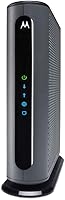
| Motorola MB8611 | a 2.5 Gbps port | DOCSIS 3.1 | One 2.5 Gbps port | Cox tiers need confirmation | 8.6 |
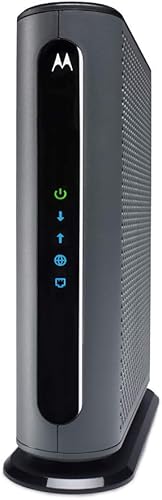
| Motorola B12 | newer multi-gig setups | DOCSIS 3.1 | One 2.5 Gbps port | Cox residential service; verify requirements | 7.0 |
| NETGEAR Nighthawk CM2000 | plans up to 2.5 Gbps | DOCSIS 3.1 | One 2.5 Gigabit port | Cox cable plans; confirm plan support | 7.9 |
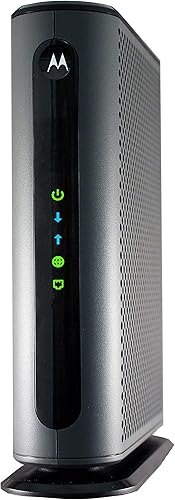
| Motorola MB8600 | Cox Gigablast | DOCSIS 3.1 | Gigabit Ethernet connection | Cox, including Gigablast; verify tier | 8.2 |
| NETGEAR Nighthawk CM1200 | multiple wired connections | DOCSIS 3.1 | Four Gigabit ports | Cox cable plans; confirm plan support | 7.6 |
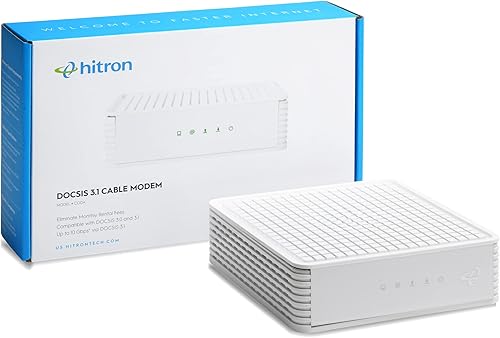
| Hitron CODA | plans up to 1 Gbps | DOCSIS 3.1 | One Ethernet port | Cox cable service; confirm plan support | 7.5 |
1. ARRIS Surfboard SB8200: Best for most Cox homes
ARRIS Surfboard SB8200: Best for most Cox homes
- DOCSIS 3.1
- Cox qualified
- Two 1 Gigabit Ethernet ports
- Modem only
The SB8200 combines Cox qualification with two Gigabit Ethernet ports. It is a modem only, so plan on a separate Wi-Fi router.
Pros
- Cox qualified
- Two Ethernet ports
- Works with a separate router
Cons
- No built-in Wi-Fi
- Confirm support for your exact Cox plan
The SB8200 earns the top spot because it is qualified for Cox and has two 1 Gigabit Ethernet ports. It supports cable plans up to 2 Gbps, though you should confirm Cox supports it for your tier.
The two ports provide a wired connection for a router or other compatible equipment, but the modem does not include Wi-Fi. Connect a separate Wi-Fi router for wireless coverage.
Choose it if you want a DOCSIS 3.1 modem with two Ethernet ports. It has no listed phone capability, so check your voice service needs separately.
If your Cox plan approaches gigabit speeds, our gigabit modem guide explains why plan support and Ethernet capacity both matter. For a broader look at approved models, return to the Cox approved modem list.
2. Motorola MB8611: Best for a 2.5 Gbps port
Motorola MB8611: Best for a 2.5 Gbps port
- DOCSIS 3.1
- Cox compatible
- 2.5 Gbps Ethernet port
- Separate router required
The MB8611 is a modem-only option with a 2.5 Gbps Ethernet port. Confirm Cox support at your plan tier before buying.
Pros
- 2.5 Gbps port
- DOCSIS 3.1
- Pairs with a separate Wi-Fi router
Cons
- Cox tier compatibility needs checking
- No built-in Wi-Fi or phone capability
The MB8611 has a 2.5 Gbps Ethernet port and supports cable internet plans up to 2,500 Mbps downstream when the service plan supports it. Motorola names Cox among the providers it supports, but compatibility depends on the tier.
This modem has no built-in router or telephone capability. Check Cox's requirements for your plan before buying.
The MB8611 includes Active Queue Management (AQM), which Motorola says reduces latency. Network performance also depends on your plan, router and other connected devices.
3. Motorola B12: Best for newer multi-gig setups
Motorola B12: Best for newer multi-gig setups
- DOCSIS 3.1
- Cox approved
- 2.5 Gbps Ethernet port
- Residential use
The B12 combines Cox approval with a 2.5 Gbps Ethernet port. Motorola describes it as the next generation model that replaces the MB8611.
Pros
- 2.5 Gbps port
- Cox approved
- Two-year manufacturer warranty
Cons
- Verify your Cox plan requirements
- Separate Wi-Fi router needed
The B12 pairs DOCSIS 3.1 with a 2.5 Gbps Ethernet port and is described as approved for Cox residential service. Confirm Cox supports it for your tier.
Motorola says the B12 replaces the MB8611 and includes a two-year manufacturer warranty. Connect a separate router for Wi-Fi.
Its stated maximum downstream rate is 2,500 Mbps, but Cox support and your plan determine the service you can use. Check both before choosing it over the SB8200.
4. NETGEAR Nighthawk CM2000: Best for plans up to 2.5 Gbps
NETGEAR Nighthawk CM2000: Best for plans up to 2.5 Gbps

- DOCSIS 3.1
- Cox compatible
- One 2.5 Gigabit Ethernet port
- Router sold separately
The CM2000 is designed for cable plans up to 2.5 Gbps and has one 2.5 Gigabit Ethernet port. It needs a separate Wi-Fi router.
Pros
- 2.5 Gigabit port
- DOCSIS 3.1
- Cox listed as a compatible provider
Cons
- No built-in Wi-Fi
- Not compatible with bundled voice service
The CM2000 is designed for cable plans up to 2.5 Gbps and has one 2.5 Gigabit Ethernet port. NETGEAR names Cox as a compatible provider, but check Cox's requirements for your plan.
The modem needs a separate Wi-Fi router. NETGEAR says the CM2000 does not work with bundled voice service.
Choose it if your plan and connected equipment can use a multi-gig connection. Its single Ethernet port may be enough for a modem-to-router setup.
5. Motorola MB8600: Best for Cox Gigablast
Motorola MB8600: Best for Cox Gigablast
- DOCSIS 3.1
- Cox approved
- Gigabit Ethernet connection
- Separate router required
Motorola describes the MB8600 as approved for Cox, including Gigablast. It has no built-in wireless router or telephone capability.
Pros
- Cox approval includes Gigablast
- DOCSIS 3.1
- Works with a separate router
Cons
- Check the exact plan tier
- No built-in Wi-Fi or voice
Motorola describes the MB8600 as approved for Cox, including Gigablast, and recommends it for Gigabit plans. It has DOCSIS 3.1 and a Gigabit Ethernet connection.
The MB8600 has no built-in wireless router or telephone capability. Connect a separate router for Wi-Fi.
Check Cox's current information for your plan before buying. The best DOCSIS 3.1 modems guide can help compare this model with other standard choices.
6. NETGEAR Nighthawk CM1200: Best for multiple wired connections
NETGEAR Nighthawk CM1200: Best for multiple wired connections

- DOCSIS 3.1
- Cox compatible
- Four Gigabit Ethernet ports
- Link aggregation
The CM1200 offers four Gigabit Ethernet ports and supports link aggregation across two ports. It works with a separate Wi-Fi router.
Pros
- Four Gigabit Ethernet ports
- Link aggregation can combine two ports
- Cox listed as compatible
Cons
- No built-in Wi-Fi
- Not compatible with bundled voice service
The CM1200 has four Gigabit Ethernet ports. NETGEAR says link aggregation combines two ports into a 2 Gbps connection; check that your equipment supports the setup you plan to use.
It works with a separate Wi-Fi router. NETGEAR names Cox among its compatible providers and excludes bundled voice service.
Consider it if you need multiple Ethernet ports at the modem. For a typical home where the router handles wired and wireless devices, fewer modem ports may be enough.
7. Hitron CODA: Best for plans up to 1 Gbps
Hitron CODA: Best for plans up to 1 Gbps
- DOCSIS 3.1
- Cox certified
- Cable internet only
- Separate router required
The CODA is a cable-only modem rated for plans up to 1 Gbps. It has no Wi-Fi or voice features, so pair it with a router.
Pros
- Cox certified
- DOCSIS 3.1
- Suitable for plans up to 1 Gbps
Cons
- No built-in Wi-Fi or voice
- Confirm Cox support for your plan
The Hitron CODA is a DOCSIS 3.1 modem for cable plans up to 1 Gbps. Hitron names Cox among compatible providers, but check support for your plan.
The CODA has no built-in Wi-Fi or voice features. It works with coaxial cable internet, not fiber, DSL, satellite or 5G home internet.
Confirm that Cox supports the modem for your plan and that its speed ceiling fits your needs. The SB8200 supports plans up to 2 Gbps and has two Ethernet ports.
What should you check before buying a Cox modem?
Check the exact modem model against Cox's current compatibility information, then match its supported tier to your plan. Approval can change, and provider support may differ by service tier.
Decide whether you need a separate router. Every modem in this roundup requires one for Wi-Fi, and some exclude bundled voice service.
For a Cox-specific model and speed check, use the Cox approved modem list. If you're comparing another cable provider, our guide to modems for Xfinity explains a similar compatibility check.
Do you need a separate router with these Cox modems?
Yes, these picks need a separate Wi-Fi router for wireless coverage. Connect the modem's Ethernet port to the router, then follow Cox's activation instructions.
If your current Cox gateway combines a modem and router, switching to a standalone modem means adding a separate router for Wi-Fi. Our modem and router connection steps walk through the usual wiring.
Which Cox modem should you choose?
Choose the SB8200 for a Cox setup with two Gigabit Ethernet ports, or the B12 or MB8611 if Cox confirms your plan and you need a 2.5 Gbps port. Pick the CM1200 when multiple modem Ethernet ports matter, then check the Cox approved modem list before activation.
Our top 3 picks at a glance
-
1
-
2
-
3
Frequently asked questions
Which modem is best for Cox?
The ARRIS Surfboard SB8200 is a strong fit for many Cox homes because it is qualified for Cox and has two 1 Gigabit Ethernet ports. It is a modem only, so you need a separate router for Wi-Fi.
Check Cox's current approved modem list for your exact plan before buying.
Does Cox require a DOCSIS 3.1 modem?
Your plan determines which modem standard and model are suitable. DOCSIS 3.1 appears across these picks, but that alone does not confirm approval for every Cox tier.
Check the provider's current list and plan requirements before you replace rented equipment.
Can I use my own modem with Cox?
You can use a customer-owned modem when Cox supports that model for your service tier. Confirm the model on Cox's current compatibility information, then follow Cox's activation steps after connecting it.
A modem must support cable service; fiber and DSL use different equipment.
Do Cox modems include Wi-Fi?
The picks in this guide are modem-only devices, so they do not provide a Wi-Fi network by themselves. Connect a separate router to the modem's Ethernet port for wireless coverage.
If you want one device for modem and Wi-Fi functions, compare the Cox modem router combo guide.
Will a Cox modem work with Cox phone service?
A modem that supports Cox internet may not support Cox phone service. The Motorola MB8611 and MB8600 do not have phone capability, and the NETGEAR CM2000 and CM1200 exclude bundled voice service.
Check Cox's requirements for your phone package before replacing a gateway.