Spectrum Approved Modems: What to Buy and What to Skip
Spectrum-approved modem options include the SB8200, S34, CM1200, and CODA, but confirm each exact model with Spectrum before buying. Match the modem to your plan, cable service, and router setup.
On this page (6 sections)
Spectrum-approved modem options include the ARRIS Surfboard SB8200, ARRIS Surfboard S34, NETGEAR Nighthawk CM1200, and Hitron CODA, but check each exact model with Spectrum before buying. These are cable modems, and each needs a separate router for Wi-Fi.
The best fit depends on your plan, wired connections, and whether you want room for a faster tier. The S34 supports cable plans up to 2.5 Gbps; the SB8200, CM1200, and CODA are options for plans up to 1 Gbps.
How do you choose among Spectrum approved modems?
Choose a modem Spectrum supports for your service, then make sure its speed and ports fit your setup. Start with the full model number and your current plan, not just the brand name or a broad claim that a modem works with Spectrum.
Compatibility is specific to the model and service. Spectrum’s supported equipment can change, so check its current information before you buy and confirm again when you activate the modem.
Next, decide whether you need Wi-Fi, voice service, or several wired connections. All four picks here are modem-only, so plan on a separate router or mesh system; the CM1200 is the option with four Gigabit Ethernet ports.
Our cable modem buying guide explains how to compare plan speed, DOCSIS technology, and router needs. If you are replacing a provider modem, also ask Spectrum about any equipment or service requirements tied to your account.
Which Spectrum approved modem fits your plan?
The SB8200, CM1200, and CODA suit cable plans up to 1 Gbps, while the S34 supports plans up to 2.5 Gbps. Those figures describe the products’ stated plan support, not a promise that your home will receive a particular speed.
A higher-capacity modem does not make a slower plan faster. Check your plan first, then look at Ethernet ports, router compatibility, and any services such as home phone before choosing.
Is the ARRIS SB8200 one of the right Spectrum approved modems?
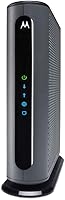
The SB8200 is a practical fit for a Spectrum cable plan up to 1 Gbps when you already have, or plan to add, a separate router. It has two 1 Gigabit Ethernet ports and a compact footprint.
ARRIS identifies the SB8200 as qualified for use with Spectrum, but you should still confirm Spectrum supports the exact model and your plan. Its two Ethernet ports give you options for a router and another wired connection, though the modem does not provide Wi-Fi.
Skip it if you want a built-in router or a 2.5 Gigabit Ethernet port. If you are comparing DOCSIS 3.1 options, see our guide to the best DOCSIS 3.1 cable modems.
Should you choose the S34 for Spectrum internet?
Choose the S34 if your Spectrum plan and connected equipment can make use of its 2.5 Gigabit Ethernet port. It supports plans up to 2.5 Gbps and includes a second 1 Gigabit port for another wired device or a backup handoff, depending on provider configuration.
ARRIS identifies the S34 as qualified for Spectrum. You still need to confirm that Spectrum supports the model and the plan you intend to use, and you’ll need a separate Wi-Fi router.
For a plan at or below 1 Gbps, skip the S34 if its faster Ethernet port would go unused. Your plan sets the connection speed; buying a modem with a higher capacity does not raise that plan limit.
Who benefits from the NETGEAR CM1200?
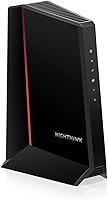
The CM1200 fits a setup with multiple wired devices and a separate Wi-Fi router. Its four Gigabit Ethernet ports give you more direct connections than the two-port options in this guide.
NETGEAR identifies Spectrum as a compatible provider. The modem also supports link aggregation, which combines two 1 Gigabit ports into one 2 Gbps connection, but Spectrum and your network setup must support the configuration for you to use it.
Skip the CM1200 if you need built-in Wi-Fi or bundled voice service. NETGEAR says it does not support bundled voice, so check your phone requirements before replacing a provider device.
Is the Hitron CODA a sensible Spectrum modem?
The CODA is a straightforward choice for a cable plan up to 1 Gbps when you want a separate modem and router. Hitron identifies Spectrum among its supported providers, and the modem uses a coax connection.
The CODA needs a separate router for Wi-Fi and does not provide voice service. It is for cable internet over coax, so skip it if your home has fiber, DSL, satellite, or 5G home internet.
This is not the right choice for a plan above 1 Gbps. Confirm Spectrum’s support for the precise model before buying, even if the connection type and speed appear to match.
What should you check before buying a Spectrum modem?
Check model support, plan fit, connection type, router needs, and voice requirements before ordering. A quick review of these details can prevent buying a modem that cannot serve your home’s connection or equipment.
- Exact model: Search Spectrum’s current compatible equipment information for the full model number.
- Plan speed: Match the modem to the plan you pay for. A modem’s higher maximum does not increase your plan speed.
- Connection type: These products are for cable internet over coax. They are not for fiber, DSL, satellite, or 5G home internet.
- Wi-Fi: Each modem here requires a separate router or mesh system.
- Voice service: Confirm whether your account includes home phone service. The CM1200 does not support bundled voice, and the CODA has no voice capability.
- Wired devices: Count the devices you want to connect directly by Ethernet. The CM1200 has four Gigabit ports; the SB8200 and S34 each have two.
Check Spectrum’s equipment compatibility information for current support and plan details. If the exact model or service requirements are unclear, contact Spectrum before you buy.
How do you set up a Spectrum-approved modem?
Connect the modem to your cable outlet, power it on, and activate it with Spectrum. Then connect a separate router to the modem for Wi-Fi and other devices.
Before disconnecting your current equipment, note how your router is connected and keep the new modem’s model number handy for activation. Use the coax cable for the modem’s cable connection, then connect its Ethernet port to your router.
Follow Spectrum’s activation steps and wait for the modem to come online before troubleshooting your Wi-Fi. If the modem does not connect, check that the coax cable is secure and that Spectrum has activated the exact modem on your account.
Avoid connecting a computer or router to several modem Ethernet ports and assuming they will automatically combine into a faster connection. The CM1200’s link aggregation needs a compatible configuration, and the S34’s second port may depend on provider configuration.
For help with the router connection, follow our guide on how to connect a modem to a router. If you want one device for cable internet and Wi-Fi, compare these modem-only picks with modem-router combos.
Do Spectrum-approved modems include a router?
No, the SB8200, S34, CM1200, and CODA are modem-only devices. Each needs a separate Wi-Fi router or mesh system to share the connection wirelessly across your home.
The modem connects your home to cable service. A router directs that connection to your devices, while a combo device handles both jobs in one unit.
Our guide to what a modem-router combo is explains which setup may suit your space. A separate modem and router also let you choose those devices independently, but they take more space and require a cable between them.
Which Spectrum approved modem should you buy?
Pick the SB8200 for a straightforward plan up to 1 Gbps with two Ethernet ports, the CM1200 if you need four wired ports, and the S34 if Spectrum supports your plan and your network can use its 2.5 Gigabit port. Consider the CODA for a cable plan up to 1 Gbps when its single-router setup and lack of voice support fit your needs.
Before paying, confirm the exact model with Spectrum, check whether your service is cable over coax, and make sure you have a separate router for Wi-Fi. For another provider’s requirements, see our guides to Xfinity-compatible modems and the Cox-approved modem list.
Frequently asked questions
How do I know if a modem is approved for Spectrum?
Check Spectrum's current compatible modem information and confirm the exact model number, not just the brand. Then check that the model suits your plan and service.
Compatibility can change, so verify before buying and again when activating.
Can I use my own modem with Spectrum?
Yes, if Spectrum supports the exact model for your service. Connect it to your coax outlet and activate it with Spectrum.
A modem-only device also needs a separate router for Wi-Fi.
Do Spectrum-approved modems include Wi-Fi?
No, the SB8200, S34, CM1200, and CODA are modem-only devices, so each needs a separate Wi-Fi router or mesh system. Check the device type before buying if you want one box to handle both the cable connection and wireless network.
Does an approved modem work with every Spectrum plan?
No. Approval alone doesn't confirm that a modem suits every plan speed or service setup.
Match the model to your current plan and check Spectrum's support information for any requirements tied to your service.