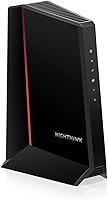
ARRIS vs NETGEAR Cable Modems: Which Brand Is Better? (October 2026)
For an arris vs netgear modem choice, get the ARRIS S34 for a 2.5 GbE port, the SB8200 for two 1 GbE ports, or NETGEAR's CM2500 for app-guided setup and up to 1 Gbps upload support. Check your provider's approval and your internet plan before you choose.
On this page (9 sections)
- ARRIS vs NETGEAR modem: which model fits your plan?
- Which modem has the right ports and speed support?
- How do the SB8200 and CM2500 compare?
- Do ARRIS and NETGEAR modems include Wi-Fi?
- How should you set up a replacement cable modem?
- What mistakes should you avoid when choosing a modem?
- How should you check provider compatibility?
- Which ARRIS or NETGEAR modem should you choose?
- Sources
The ARRIS S34 is the pick for a 2.5 GbE port, while the NETGEAR Nighthawk CM2500 suits buyers who want app-guided setup and stated upload support up to 1 Gbps. For an arris vs netgear modem decision, start with provider approval and the speed tier available at your address.
The ARRIS SB8200 is another fit if two 1 GbE ports and support for plans up to 2 Gbps meet your needs. All 3 are modem-only devices, so plan for a separate Wi-Fi router or mesh system.


ARRIS vs NETGEAR modem: which model fits your plan?
Choose by model, provider approval and plan speed rather than by brand alone. The S34 supports plans up to 2.5 Gbps; the SB8200 and CM2500 support plans up to 2 Gbps, with the CM2500 also stating upload support up to 1 Gbps.
The S34 fits a household that has access to a faster cable tier and wants a 2.5 GbE connection to a compatible router. If your plan is below that level, the port may leave room for a future upgrade, but it doesn't make your current service faster on its own.
The SB8200 is a sensible match when your plan is within its support range and you want two Gigabit ports. The CM2500 suits someone who prefers NETGEAR's guided setup and whose provider supports the model and service tier.
Before choosing, check the provider's current modem list and confirm the plan at your address. If you haven't settled on a speed tier yet, our cable modem buying guide explains how to match modem capacity to your service.
Which modem has the right ports and speed support?
The S34 is the only model here with a single 2.5 GbE port; the SB8200 and CM2500 each have two Gigabit ports. Your router's WAN port and your provider's plan both affect the speed you can use.
The S34 pairs a 2.5 GbE port with a 1 GbE port. The second port may connect another wired device or support a backup handoff, depending on how the provider configures the service.
The SB8200's two 1 GbE ports can provide up to 2 Gbps wired aggregate. That figure describes the combined capacity of the ports, not a 2 Gbps connection through one port.
The CM2500 also has two Gigabit ports. NETGEAR says Link Aggregation can combine them for speeds up to 2 Gbps with compatible equipment, so check router support before treating that as a useful feature.
Is the ARRIS S34 or NETGEAR CM2500 better for multi-gig?
Pick the S34 when you need a 2.5 GbE port and your provider offers a plan above 2 Gbps; pick the CM2500 when its plan support and upload capacity fit your service. Provider approval and availability at your address still matter.
A 2.5 GbE port can connect to a compatible router at that port speed. The S34 supports plans up to 2.5 Gbps, but you'll need a provider plan at that tier and a router with a suitable WAN port to make use of the faster connection.
The CM2500 supports plans up to 2 Gbps download and 1 Gbps upload. Its two 1 GbE ports can use Link Aggregation with compatible equipment, which combines ports rather than providing one 2.5 GbE connection.
For more options designed around faster cable plans, see our multi-gig cable modem guide. Check the modem and router ports together before paying for a plan your network can't use.
How do the SB8200 and CM2500 compare?
Choose the SB8200 for ARRIS's two-port design, or choose the CM2500 for NETGEAR's app-guided setup and stated 1 Gbps upload support. Both support plans up to 2 Gbps and require a separate router for Wi-Fi.
The SB8200 is qualified for use with Cox, Xfinity and Spectrum. Its two Gigabit ports may appeal if you have a specific wired setup in mind, but ask your provider how the ports can be used on your service.
The CM2500 is identified as compatible with Xfinity, Spectrum, Cox and most US cable providers on plans up to 2 Gbps. It isn't compatible with bundled voice plans, so households that get internet and home phone together should confirm service requirements before buying.
The CM2500 supports setup through the Nighthawk app or a web browser. The SB8200 setup starts with connecting the coax cable and power, then activating the modem with your provider and attaching a router.
For a closer comparison of the SB8200 with another NETGEAR model, see our SB8200 vs CM1000 comparison. Our ARRIS Surfboard modem guide covers other options from that brand.
Do ARRIS and NETGEAR modems include Wi-Fi?
No, the SB8200, S34 and CM2500 are standalone modems, so you'll need a separate router or mesh system for wireless coverage. Factor in the cost and space for that extra device when comparing them with a gateway.
The modem connects your home to cable internet, while a router shares the connection with phones, computers and other devices over Wi-Fi or Ethernet. A mesh system can also provide wireless coverage through multiple nodes.
If you already own a router, check its WAN port speed and whether it supports Link Aggregation if you plan to use that feature with the CM2500. If you'd prefer one device for modem and Wi-Fi, compare options in our cable modem router combo guide.
How should you set up a replacement cable modem?
Connect the coax cable and power, activate the modem with your provider, then connect your router and check that devices can get online. Activation is required, so have your account details ready and follow the provider's instructions for registering the modem.
For the SB8200 and S34, connect the cable and power, then contact your provider or use its activation process. After activation, connect the router to the modem's Ethernet port and let the router finish starting up.
The CM2500 has app-guided setup through the Nighthawk app, and it can also be set up in a web browser. NETGEAR says the app can check modem status, run speed tests and manage firmware updates; active internet is required for app functions.
Keep the modem where its status lights are visible and where its cables can reach without strain. If it fails to come online, check the coax and power connections first, then contact the provider to confirm activation and signal service.
What mistakes should you avoid when choosing a modem?
The most common buying mistake is treating a modem's maximum supported plan speed as a promise of the speed you'll receive. Your provider's plan, network conditions, router and wired connections all shape the speed available to your devices.
Don't assume that a modem approved for one provider or tier will work with every plan from that provider. Search the current approval list by exact model, then confirm that the plan and any phone service are supported.
Don't buy the S34 only because its 2.5 GbE port sounds faster. If your plan and router both top out at Gigabit speeds, that port won't raise your internet speed today.
Don't count the SB8200's two ports or the CM2500's Link Aggregation as a single faster port. Check whether your router and provider support the intended setup, and use a modem with the port layout that matches the equipment you have.
Don't overlook the separate router requirement. These models don't create Wi-Fi by themselves, and cable modems aren't compatible with fiber, DSL or satellite connections.
How should you check provider compatibility?
Search your provider's current compatibility list by the full model name, then confirm approval for your plan and service features. Approval for a provider doesn't guarantee support for every speed tier or bundled service.
The SB8200 and S34 are qualified for Cox, Xfinity and Spectrum. The CM2500 is identified as compatible with those providers and most US cable providers, but it excludes bundled voice plans.
Use the provider's own approval checker before ordering. You can start with our lists for Xfinity-compatible modems, Spectrum-approved modems and the Cox approved modem list, then confirm the model and plan directly with your provider.
Fiber, DSL and satellite services use different equipment. These 3 options are cable modems, so skip them if your home internet connection isn't cable.
Which ARRIS or NETGEAR modem should you choose?
Choose the ARRIS S34 for a 2.5 GbE port and support for plans up to 2.5 Gbps, the SB8200 for two Gigabit ports and plans up to 2 Gbps, or the NETGEAR CM2500 for app-guided setup and stated upload support up to 1 Gbps. The right arris vs netgear modem is the one your provider approves for your plan and that fits your router.
If the S34 sounds right, confirm that your service reaches beyond 2 Gbps and your router has a 2.5 GbE WAN port. If you want NETGEAR's app setup, confirm the CM2500 works with your provider and that you don't need a bundled voice plan.
For other ARRIS models, compare the best ARRIS Surfboard modems; for NETGEAR, see our Nighthawk modem guide. Check approval before you order.
Sources
Frequently asked questions
Is ARRIS or NETGEAR better for a cable modem?
Neither brand is the right choice for every plan. The SB8200 supports plans up to 2 Gbps and has two 1 GbE ports, while the S34 adds a 2.5 GbE port and supports plans up to 2.5 Gbps.
NETGEAR's CM2500 supports up to 2 Gbps download and 1 Gbps upload.
Confirm your provider approves the exact model.
Which ARRIS or NETGEAR modem supports 2.5 Gbps?
The ARRIS Surfboard S34 supports cable plans up to 2.5 Gbps and has a 2.5 GbE port. The SB8200 and NETGEAR CM2500 support plans up to 2 Gbps, so match the modem to your provider's plan and your router's port speed.
Do ARRIS and NETGEAR cable modems include Wi-Fi?
The SB8200, S34 and CM2500 are modem-only models, so each needs a separate Wi-Fi router or mesh system. A modem handles the cable connection, and the router provides wireless coverage around your home.
Are ARRIS and NETGEAR modems compatible with Xfinity, Spectrum and Cox?
The three models compared here are identified as qualified or compatible with Xfinity, Spectrum and Cox, but approval can depend on the exact model and plan. Check your provider's current compatibility list and confirm support before you order.
The CM2500 is not compatible with bundled voice plans.