ARRIS SB8200 vs NETGEAR CM1000: Which Is Better? (October 2026)
Choose the ARRIS SB8200 if you want 2 Ethernet ports and support for plans up to 2 Gbps; choose the NETGEAR CM1000 for a straightforward gigabit setup. Both are DOCSIS 3.1 cable modems, but their port counts and stated plan limits differ.
On this page (6 sections)
Choose the ARRIS Surfboard SB8200 for 2 Ethernet ports and stated support for plans up to 2 Gbps; choose the NETGEAR Nighthawk CM1000 for a gigabit setup that fits its provider limits. Both are DOCSIS 3.1 modem-only models, so either needs a separate router for Wi-Fi.
The SB8200 has 2 Gigabit Ethernet ports, while the CM1000 has 1. Their stated plan limits also differ: up to 2 Gbps for the SB8200 and up to 1 Gbps for the CM1000.
Provider and plan support can narrow the choice. The CM1000 supports Xfinity plans up to 800 Mbps, Spectrum plans up to 1 Gbps and Cox plans up to 1 Gbps.
Confirm the model's support for your plan.


ARRIS SB8200 vs NETGEAR CM1000: what is the main difference?
The SB8200 offers 2 Ethernet ports and support for plans up to 2 Gbps; the CM1000 has 1 port and supports plans up to 1 Gbps. Your provider's approval and your plan matter more than the brand name.
Both are DOCSIS 3.1 cable modems. Neither includes Wi-Fi, so you'll need a separate router or mesh system to connect wireless devices.
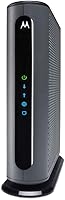
The SB8200 has 2 Gigabit ports. Its product information says they can support up to 2 Gbps wired aggregate.
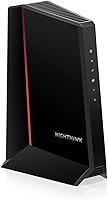
The CM1000 has one Gigabit Ethernet port for a single wired connection.
Quick comparison
| Feature | ARRIS Surfboard SB8200 | NETGEAR Nighthawk CM1000 |
|---|---|---|
| DOCSIS | 3.1 | 3.1 |
| Ethernet ports | 2 Gigabit | 1 Gigabit |
| Stated plan support | Up to 2 Gbps | Up to 1 Gbps |
| Xfinity support stated | Check with provider | Up to 800 Mbps |
| Spectrum support stated | Check with provider | Up to 1 Gbps |
| Cox support stated | Check with provider | Up to 1 Gbps |
| Wi-Fi | Separate router required | Separate router required |
Which modem fits your internet plan?
Match the modem to the speed tier your provider approves for that exact model. A modem's maximum stated support doesn't guarantee that every provider will allow it on every plan.
ARRIS describes the SB8200 for cable plans up to 2 Gbps and recommends confirming model support with your provider. Its 2 Gigabit Ethernet ports give you two wired connection options.
NETGEAR says the CM1000 supports plans up to 1 Gbps, with an Xfinity limit of 800 Mbps. It isn't a fit for an Xfinity gigabit plan based on that stated limit.
For a plan near or above gigabit speed, compare your provider's approved modem list with your plan tier. Our gigabit modem guide explains what to check before you buy.
What if your provider is Xfinity, Spectrum or Cox?
NETGEAR specifies CM1000 limits of up to 800 Mbps for Xfinity and up to 1 Gbps for Spectrum and Cox. ARRIS says the SB8200 is tested and qualified for use with all 3 providers, but recommends confirming support for your plan.
Provider approval can vary by plan and service area. Check the current Xfinity compatible modem guide, Spectrum modem guide or Cox modem guide before ordering.
The CM1000 isn't compatible with bundled voice plans. If you use your cable provider's home phone service, confirm whether your service requires a modem with a phone port.
How many Ethernet ports do you need?
Choose the SB8200 if 2 Gigabit ports are useful; the CM1000 has 1 port for a direct modem-to-router connection. The number of ports matters only if your setup can use them.
A common home layout connects the modem to a router, which serves Wi-Fi devices and any wired devices. The CM1000's single port works for that basic arrangement.
The SB8200 has 2 Gigabit Ethernet ports, which are described as supporting up to 2 Gbps wired aggregate. That aggregate figure doesn't mean one device gets a 2 Gbps connection.
If you need multiple wired connections, a router or network switch may provide the ports you need. For more modem ports, the NETGEAR CM1200 has 4 Gigabit Ethernet ports and link aggregation.
Do either modem's Ethernet ports provide Wi-Fi?
No. The SB8200 and CM1000 are modem-only devices, so add a separate Wi-Fi router or mesh system for wireless coverage.
ARRIS recommends connecting a Wi-Fi router to an Ethernet port after activating the SB8200. The CM1000 also connects to a separate router using Ethernet.
If you're unsure whether you need a standalone modem or a combined device, read modem vs gateway explained. A gateway combines modem and router functions, while these models require a separate router.
Which one is easier to set up?
Both require a coax connection, power and provider activation, followed by an Ethernet connection to a router. NETGEAR includes guided online setup instructions for the CM1000, and ARRIS provides setup instructions for the SB8200.
For either model, check provider compatibility first. Connect the coax cable and power, activate the modem through your provider, then connect the router with Ethernet.
The CM1000 can be activated through a web browser or by calling the provider. Xfinity customers can self-activate online.
The SB8200 setup steps are to connect the cable and power, activate with the provider, then connect a Wi-Fi router. Follow the instructions from your provider and router manufacturer.
If the modem doesn't come online, check the coax connection and activation status before changing router settings. Our guide to connecting a modem to a router covers the basic cable and Ethernet connections.
Should you choose the SB8200 or CM1000?
Pick the SB8200 for 2 Gigabit ports and support up to 2 Gbps; pick the CM1000 if your plan fits its speed and provider limits and you need one Ethernet port. Check provider approval before choosing.
For Xfinity, the CM1000's limit is 800 Mbps, so confirm that it matches your plan. If your provider approves the SB8200 for your tier, its 2 ports and higher stated plan support may be useful.
If you need one connection to a router and your plan is within the CM1000's limits, it can fit that setup. Neither modem supplies Wi-Fi, so plan on a separate router for wireless access.
For a broader look at how the brands' cable modems compare, see ARRIS vs NETGEAR cable modems. To compare the SB8200 with an ARRIS option, read SB8200 vs S33.
Which cable modem is the better match for you?
The SB8200 fits if you want 2 Ethernet ports or need a modem specified for plans above 1 Gbps, subject to provider approval. The CM1000 fits a one-port setup when your plan is within its provider-specific limit.
Before you buy, confirm the exact modem and plan on your provider's compatibility list. Choose a separate router if you need Wi-Fi.
For selection criteria and more options, start with our cable modem buying guide.
Sources
Frequently asked questions
Is the ARRIS SB8200 better than the NETGEAR CM1000?
The SB8200 has 2 Gigabit Ethernet ports and supports plans up to 2 Gbps, while the CM1000 has 1 port and supports plans up to 1 Gbps. The SB8200 suits buyers who value extra port capacity or higher stated plan support; the CM1000 fits a gigabit setup when its provider limit matches.
Do the SB8200 and CM1000 include Wi-Fi?
No. Both are modem-only devices, so you need a separate Wi-Fi router or mesh system for wireless coverage.
Connect the modem to the router with Ethernet, then confirm your provider's activation steps for the exact model.
Will the CM1000 work with Xfinity gigabit service?
The CM1000 is stated to work with Xfinity plans up to 800 Mbps, so it doesn't fit an Xfinity gigabit plan based on that limit. Check the provider's current compatibility list and your exact plan before buying a modem.
Can the SB8200 support a 2 Gbps internet plan?
The SB8200 is described as supporting cable internet plans up to 2 Gbps, with 2 Gigabit Ethernet ports. Actual service depends on provider approval, your plan, and the connected router and network; confirm the model's support for your account.
Which modem has more Ethernet ports?
The SB8200 has 2 Gigabit Ethernet ports, compared with 1 on the CM1000. If you need more wired connections, the CM1200 has 4 Gigabit Ethernet ports, though your provider and network setup determine how you can use them.