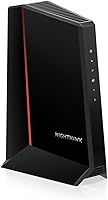
ARRIS S33 vs S34: Which Modem to Buy? (November 2026)
The ARRIS S33 wins for most people because it covers the same 2.5 Gbps download plans in a smaller body. Pick the S34 only if your provider sells a next-gen upload tier and you want the hardware that names it.
On this page (10 sections)
- ARRIS S33 vs S34 modem: the quick verdict
- ARRIS S33 vs S34 side by side
- Which modem fits your internet plan?
- Which modem has the better port setup?
- S33 vs S34: size and placement
- Which should you buy?
- Which modem works with your provider?
- Who should buy the S33?
- Who should buy the S34?
- Final verdict on the ARRIS S33 vs S34 modem
The ARRIS S33 wins for most people because it covers the same 2.5 Gbps download plans as the S34 in a smaller body, and the S34 only earns its keep on next-gen upload tiers. In this ARRIS S33 vs S34 modem comparison, the deciding factor is your provider's upload roadmap, not the download speed.
Both are DOCSIS 3.1 cable modems with a 2.5 Gigabit Ethernet port and a second 1 Gigabit port. Neither has built-in Wi-Fi, so you'll pair either one with a router.
The two models are close enough that the choice comes down to a handful of real differences. Below we compare the specs, the port setup, the size, the plan support and the setup steps, then name the buyer for each.
 Best for most cable plans
ARRIS SURFboard S33 DOCSIS 3.1 Multi‑Gig Cable

ARRIS S33 vs S34 modem: the quick verdict
Buy the S33 for a standard cable home, and buy the S34 when your provider sells a next-gen upload tier you plan to use. Everything else between them is close.
The S33 is the better default because ARRIS lists the same multi-gig download ceiling for both models. You get the 2.5 Gbps port and the same CableLabs certification without paying for upstream hardware you may not use.
The S34 makes sense for a narrower group. ARRIS says it supports the next generation of upload speed tiers that cable providers are rolling out, and its upstream spec reflects that focus.
If your provider's fastest plan today is a download-heavy tier, the S33 handles it. If your provider has already announced or sells a higher upload tier, the S34 is the model built around that future.
Neither modem replaces a router. Both need a separate Wi-Fi router or mesh system, so budget for that piece of your network either way.
ARRIS S33 vs S34 side by side
The two modems share their port layout, download ceiling and DOCSIS version; the S34 adds upstream headroom and a wider, flatter body. Here is how the ARRIS S33 vs S34 modem specs line up.
| Feature | ARRIS S33 | ARRIS S34 |
|---|---|---|
| DOCSIS version | 3.1 | 3.1 |
| Max downstream | 2500 Mbps | 2500 Mbps |
| Max upstream | 2.5 Gbps | 444 Mbps |
| Ethernet ports | 2.5 Gb + 1 Gb | 2.5 Gb + 1 Gb |
| Size (L x W x H) | 5.25 x 1.8 x 5.24 in | 10.55 x 6.75 x 2.46 in |
| Weight | 14.4 oz | |
| Orientation | Upright | Flat |
| Next-gen upstream | No | Yes |
| Wi-Fi built in | No | No |
| Product | Best for | Ethernet ports | Max downstream | Size (L x W x H) | Our score |
|---|---|---|---|---|---|
| ARRIS SURFboard S33 DOCSIS 3.1 Multi‑Gig Cable | most cable plans | 1 x 2.5 Gb + 1 x 1 Gb | 2500 Mbps | 5.25 x 1.8 x 5.24 in | 9.7 |
| ARRIS Surfboard S34 | next-gen upload plans | 1 x 2.5 Gb + 1 x 1 Gb | 2500 Mbps | 10.55 x 6.75 x 2.46 in | 8.9 |
The table shows where the marketing names and the spec numbers don't line up. The S33's upstream figure of 2.5 Gbps reads higher than the S34's 444 Mbps, yet the S34 is the model ARRIS describes as supporting next-generation upstream tiers.
Treat the S33's upstream number as an interface rating and the S34's as a practical plan figure. The 2.5 Gbps upstream figure on the S33 is the top of the DOCSIS 3.1 envelope, not a speed your provider is likely to sell today.
The S34's 444 Mbps figure is closer to what a real next-gen upload tier delivers.
What the S33 and S34 share
Both modems carry a 2-year warranty, one described as limited and the other as manufacturer. That lines up closely enough that neither document changes the choice.
The S33 ships with a power supply, a quick start guide and the modem. The S34 comes with the same set.
What differs is the model named in the S34's box contents, which reads SB8200 instead of S34. That is worth a glance at the label when yours arrives so you know which model you have.
Which modem fits your internet plan?
The S33 fits the multi-gig download plans most cable homes buy today; the S34 fits providers that sell a next-gen upload tier. Your plan's speed tier is the first thing to check.
ARRIS says both modems support cable internet plans up to 2.5 Gbps. That covers the multi-gig tiers Xfinity, Cox and Spectrum have been selling, where the headline number is the download speed.
The S34's extra feature is upstream. Next-gen upload tiers are the cable industry's answer to fiber's upload speeds, and ARRIS lists the S34 as the SURFboard built for them.
So the plan question is simple. If your provider's top tier is download-led and your upload needs are modest, the S33 covers it.
If your provider already offers a next-gen upload tier and you work from home with large uploads, the S34's hardware is aimed at you.
Check the approved device list for your provider before ordering. Our guide to Xfinity compatible modems explains how to match a model to your plan, and our Spectrum approved modems roundup covers that provider's list in the same way.
Which modem has the better port setup?
Both give you a 2.5 Gigabit port for your router plus a 1 Gigabit port for a wired device, so the port setup is a tie. The difference is what each port can do in your home.
The 2.5 Gb port is the main handoff. You connect your Wi-Fi router there, and it can pass multi-gig speeds through if the router's WAN port supports them.
The second port is a 1 Gb Ethernet connection. You can run a wired device straight from the modem or use it as a backup handoff, though the exact behavior depends on your provider's configuration.
ARRIS is explicit that this second-port role depends on how your provider sets it up, so don't count on a specific behavior until you confirm it.
This matters when you buy a router. A multi-gig plan only reaches your devices if the router's WAN port is 2.5 Gb too.
Pair either modem with a router that has a matching port or the extra speed stays at the modem.
Both models ship with two Ethernet ports and no Wi-Fi. For a home that needs more than one wired device behind the router, the second port on the modem is a nice extra but not a reason to choose one model over the other.
S33 vs S34: size and placement
The S33 stands upright and takes a small patch of shelf; the S34 lays flat and needs a wider surface. Measure your space before you decide.
The S33 measures about 5.25 inches long, 1.8 inches wide and 5.24 inches tall. It stands up like a small tower, so it fits beside a router on a narrow shelf or in a media cabinet corner.
The S34 measures about 10.55 inches long, 6.75 inches wide and 2.46 inches tall. It lies flat like a set-top box, which helps when you stack it under a TV or on a low shelf with limited height.
The footprint gap is bigger than the numbers first suggest. The S33 covers less than 10 square inches of shelf, while the S34 covers over 70.
In a tight cabinet that difference decides where the modem can go.
Neither size is hard to place. The S33's upright shape asks for vertical room and a little clearance for the cables at the back.
The S34's flat shape asks for a wider surface but less headroom.
If your shelf is tall and narrow, the S33 is easier. If your cabinet is short and wide, the S34 slots in better.
Both have simple LED indicators for power, upstream/downstream and online status, so you can read the state at a glance.
Which should you buy?
The S33 is the default for most readers, and the S34 is the upgrade for next-gen upload plans. Use the plan and the shelf as your two filters.
If neither filter points to the S34, the S33 is the simpler buy. It shares the download ceiling, the port layout and the cable-only limitation with the S34.
If your provider sells a next-gen upload tier and your shelf is short and wide, the S34 earns its place. That combination is the only one where its extra upstream support and flat body both count.
Check your provider's approved model list before ordering either one. Our ARRIS S33 vs Hitron CODA56 comparison covers another common swap if you're still weighing brands.
Which modem works with your provider?
Both are CableLabs certified and qualified by ARRIS for Xfinity, Cox and Spectrum, so provider support is even. Your provider's own list is the final word.
ARRIS says all SURFboard modems are CableLabs certified to work across major US ISPs, and it lists the S33 and S34 as tested and qualified for Cox, Xfinity and Spectrum. That is the strongest general compatibility signal in the product data.
Certification isn't the same as being on every plan's approved list. Providers update their lists as they launch new speed tiers, and the model that runs a 1 Gbps tier may not be approved for the fastest multi-gig tier on day one.
So check your account's approved modem page for the exact model before ordering. If you're on Xfinity, our Xfinity compatible modems guide walks through that list.
Spectrum users can start with the Spectrum approved modems post.
Neither modem works on fiber, DSL or satellite. Both are for cable internet only, so a fiber-only address rules out either one.
Who should buy the S33?
Buy the S33 if you want a small modem that handles multi-gig downloads on a typical cable plan. It is the pick for most readers, and its score of 9.7 reflects that fit.
The S33 covers plans up to 2.5 Gbps, gives you the 2.5 Gb port plus a 1 Gb port, and stands in a small footprint. It also carries a 2-year limited warranty.
For a download-heavy household, it does the job without paying for upstream hardware you won't use.
Skip the S33 only if your provider sells a next-gen upload tier you plan to buy. In that case, the S34's upstream support is the feature that matters.
Who should buy the S34?
Buy the S34 if your provider offers a next-generation upload tier and you send large files from home. Its score of 8.9 reflects a narrower fit than the S33.
The S34 adds support for next-gen upstream speed tiers and lays flat in a wider footprint. Video editors, remote workers and anyone who uploads big files all day get the most from that upstream focus.
Skip the S34 if your plan is download-led and your upload needs are light. You'd pay more for a feature your provider doesn't sell, and the S33 handles the same download speeds.
Final verdict on the ARRIS S33 vs S34 modem
The S33 is the modem to buy for most cable homes, and the S34 is the specialist pick for next-gen upload plans. The S33's score of 9.7 and its smaller upright body make it the easier default.
Choose the S33 if you want multi-gig downloads, a compact modem and the lowest complexity. Choose the S34 if your provider's upload tier is the reason you're shopping.
Before you order either one, confirm the model on your provider's approved list. If you're still comparing brands after this, our ARRIS vs NETGEAR modem guide helps you weigh the wider field.
Frequently asked questions
Is the ARRIS S34 better than the S33?
The S34 is better only if your provider offers a next-generation upload tier, since ARRIS says it supports those plans. For most cable homes the S33 does the same 2.5 Gbps download job in a smaller body, so it is the safer default.
Do the S33 and S34 both work with Xfinity, Cox and Spectrum?
Yes. Both are CableLabs certified SURFboard modems that ARRIS tested and qualified for Xfinity, Cox and Spectrum.
Your provider still has its own approved model list, so confirm the exact model on your account before you order.
What is the difference between the S33 and S34 modem?
The big difference is upstream support. ARRIS rates the S34 for next-generation upload speed tiers, while the S33 focuses on multi-gig downloads.
They share the same port layout and 2.5 Gbps download ceiling.
Do I still need a router with either modem?
Yes. Both are modem-only devices, so you connect a separate Wi-Fi router or mesh system to the Ethernet port for home Wi-Fi.
The 2.5 Gigabit port is the one to use if your router supports multi-gig speeds.
Which modem is smaller, the S33 or the S34?
The S33 is much smaller. It stands upright at about 5.25 by 1.8 by 5.24 inches.
The S34 lays flat at about 10.55 by 6.75 by 2.46 inches, so it needs a wider shelf but less height.