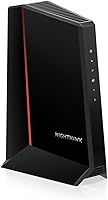
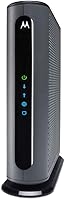
ARRIS S33 vs Hitron CODA56: Which Is Better? (November 2026)
The ARRIS S33 is the better modem for most people. It adds a second Ethernet port and a 2.5G plus 1G handoff for wired gear, while the Hitron CODA56 wins on warranty length.
On this page (9 sections)
- ARRIS S33 vs Hitron CODA56: which modem wins?
- How do the S33 and CODA56 compare side by side?
- Which modem handles multi-gig cable plans better?
- Which modem is easier to set up and live with?
- Which modem should you buy for your provider?
- How do the warranties and long-term costs compare?
- Who should buy the ARRIS S33?
- Who should buy the Hitron CODA56?
- Is the ARRIS S33 or Hitron CODA56 the better buy?
The ARRIS S33 is the better modem for most people. It adds a second Ethernet port and a separate 2.5G plus 1G handoff for wired gear, while the Hitron CODA56 wins on warranty length.
Both are DOCSIS 3.1 cable modems built for gig-plus plans up to 2.5 Gbps. Neither includes Wi-Fi, so you'll pair whichever you buy with a separate router.
In this ARRIS S33 vs Hitron CODA56 comparison, the port layout and warranty decide more than raw speed.


ARRIS S33 vs Hitron CODA56: which modem wins?
The ARRIS S33 wins overall for its two Ethernet ports and dual-speed handoff. The Hitron CODA56 is the better pick when you want the longest warranty and only need one wired connection.
The S33 pairs a 2.5 Gigabit Ethernet port for your main router with a 1 Gigabit port for an additional wired device or backup handoff. That second port is the real difference between these two modems.
The CODA56 offers a single 2.5 Gbps Ethernet port. Every device in your home reaches the internet through your Wi-Fi router, so one port is enough for many households.
On paper the speeds look identical. The S33 still gives you more room to grow without adding a network switch later.
How do the S33 and CODA56 compare side by side?
The S33 leads on ports and plan flexibility, while the CODA56 leads on warranty. Here is how the two cable modems stack up on the specs that matter.
| Feature | ARRIS S33 | Hitron CODA56 |
|---|---|---|
| Ethernet ports | 2 (2.5G plus 1G) | 1 (2.5G) |
| Top plan speed | 2.5 Gbps | 2.5 Gbps |
| DOCSIS version | 3.1 | 3.1 |
| Wi-Fi built in | No | No |
| Voice port | No | No |
| Warranty | 2 years limited | 3 years total |
| Provider list | Cox, Xfinity, Spectrum | Xfinity, Spectrum, Cox |
| Dimensions | 5.25 x 1.8 x 5.24 in | 7 x 1.77 x 8.13 in |
| Weight | 14.4 oz |
The S33 is the smaller cabinet, which helps if your modem shelf is tight. The CODA56 is taller and a bit wider, so measure the spot before ordering.
Both use DOCSIS 3.1. Hitron says the CODA56 is backward compatible with DOCSIS 3.0 networks, which matters if your provider hasn't moved you to a newer plant yet.
Where the S33 pulls ahead
The second port is the clearest edge. A 2.5G port for the router plus a 1G port for a wired PC, NAS or gaming console means fewer switches and one less cable run.
ARRIS also rates the S33 for plans up to 2.5 Gbps and confirms CableLabs certification with Cox, Xfinity and Spectrum. If you're on a multi-gig tier from one of those three, the S33 is the safer match.
Where the CODA56 pulls ahead
The CODA56's 3-year total warranty is longer than the S33's 2-year limited coverage. That extra year can matter if you keep a modem through several plan upgrades.
Hitron also rates the CODA56 in plain terms: Xfinity up to 2.33 Gbps, Spectrum 1 Gbps and Cox 2 Gbps. Those figures help you match the modem to your actual plan before you buy.
Which modem handles multi-gig cable plans better?
Both reach 2.5 Gbps, but the S33 gives you more ways to use that speed. The CODA56 matches the top plan speed and adds backward compatibility with older networks.
If your provider sells a 2 Gbps or 2.5 Gbps tier, both modems can carry it. The S33's 2.5G port feeds a router that supports multi-gig, so your Wi-Fi can actually use the extra bandwidth.
The CODA56 does the same through its single 2.5G port. Your router's WAN port needs to support 2.5 Gbps too, or the link drops to 1 Gbps.
The difference shows up when you want wired speed in more than one place. With the S33, a 1G port can feed a second device while the router takes the 2.5G port.
Match the modem to your plan first
Check your provider's certified modem list before either purchase. Our guide to Xfinity compatible modems walks through which models qualify.
A 2.5 Gbps modem on a 500 Mbps plan still works, but you're paying for headroom you won't use yet. The reverse is worse: a 1 Gbps modem on a 2 Gbps plan caps your speed.
When a 1 Gbps plan is enough
Most households on a 400 Mbps to 1 Gbps plan won't feel a difference between these two. The CODA56's single port is plenty when the router is your only wired device.
The S33 makes more sense if you expect to move to a multi-gig tier within a year or two. Buying once for the plan you want saves a second modem purchase later.
Which modem is easier to set up and live with?
Both set up the same way: connect coax, power on, activate with your provider, then plug in your router. The S33's extra port is the only setup difference you'll notice.
Neither modem has a screen or app-based setup. You connect the coaxial cable to the wall, plug in the power supply, and call your provider to activate the device on your account.
The CODA56 ships with a 2.5 Gbps Ethernet cable and power supply. The S33 includes its power supply and quick start guide.
Neither includes a router, so budget for one separately.
Plan for the router you already own
Your router's WAN port sets your real ceiling. A router with a 2.5 Gbps WAN port lets you use the full speed of either modem.
If your router only has 1 Gbps ports, the 2.5G port on these modems runs at 1 Gbps. That's fine for now, but it's the upgrade that matters for multi-gig.
Physical fit and placement
The S33 is the more compact of the two at about 5.25 inches wide and 1.8 inches deep. It fits on narrow shelves and behind a TV stand more easily.
The CODA56 is about 7 inches wide and 8.13 inches tall. It needs a bit more open space and clear airflow around the vents.
Keep either modem off carpet and away from other heat sources. Both are modem only, so place them near your router and a power outlet.
Which modem should you buy for your provider?
Pick the S33 for Cox and Xfinity multi-gig plans; pick the CODA56 for a long warranty on Spectrum or a single-device setup. Provider certification and plan speed should drive the choice before ports or warranty.
ARRIS confirms CableLabs certification across major US providers and qualified support for Cox, Xfinity and Spectrum. Hitron lists Comcast Xfinity, Charter Spectrum, Cox Gigablast, Astound, Grande, RCN, Wave and Zito Media.
That wider Hitron list matters if you're on a smaller cable operator. Check your provider's approved modem page before ordering either one.
For Xfinity and Cox multi-gig customers
Xfinity tiers above 1 Gbps pair well with either modem. The S33's 2.5G plus 1G layout gives you a wired handoff without a switch.
Cox Gigablast customers get similar support from both. Hitron rates Cox up to 2 Gbps, and ARRIS confirms Cox qualification for the S33.
If you also want a second wired device, the S33 is the cleaner fit. It's the choice we'd make for most multi-gig homes.
For Spectrum and smaller cable operators
Spectrum's gig plans top out at 1 Gbps in Hitron's own provider notes. Either modem handles that easily.
The CODA56's 3-year warranty is the stronger argument here. A longer coverage window on a device you'll keep through several plan changes is worth real money.
Smaller operators on the Hitron list may only certify the CODA56. Confirm certification before buying so activation doesn't stall.
How do the warranties and long-term costs compare?
The CODA56 carries 3 years of total warranty against 2 years limited for the S33. Both let you stop paying monthly modem rental fees, which is the main long-term saving.
Hitron builds its coverage as a standard 1-year warranty plus a 2-year extended warranty. That totals 3 full years of protection.
ARRIS backs the S33 with a 2-year limited warranty. It's shorter, but the S33 also gives you a second port you'd otherwise buy a switch to get.
Neither modem includes Wi-Fi, so add a router to your total. A good router often costs more than the modem itself, so plan the pair together.
Rental fees and payback
Both modems are sold outright so you can own your equipment. Check your provider's current rental rate to see how fast the modem pays for itself.
If you rent a gateway with Wi-Fi built in, you'll still need a router after switching. Factor that into the payback math before you cancel the rental.
Our ARRIS Surfboard S33 review covers how the S33 works as an owned modem in more detail.
When the longer warranty matters
Choose the CODA56 if you keep hardware for years and want coverage past the typical 2-year window. The extra year is the main reason to pick it over the S33.
Choose the S33 if you'd rather have more ports and a smaller cabinet. Its 2-year warranty is standard for the category and covers the hardware itself.
Who should buy the ARRIS S33?
Buy the S33 if you have a multi-gig plan and more than one wired device to connect. It's the better modem for homes that want a router plus a wired PC, console or NAS on the same modem.
The 2.5G port feeds your main router while the 1G port handles a second device. That saves a network switch and keeps your wired setup simple.
Its smaller footprint helps on tight shelves. At about 5.25 inches wide, it tucks into spots where the taller CODA56 won't fit.
The S33 also makes sense if you plan to upgrade to a 2 Gbps or 2.5 Gbps tier soon. Buying once avoids replacing the modem when your plan changes.
Skip it if you only need one wired connection and want the longest possible warranty. In that case the CODA56 is the smarter buy.
Who should buy the Hitron CODA56?
Buy the CODA56 if warranty length and a single high-speed port are your priorities. It covers plans up to 2.5 Gbps and backs the hardware for 3 years total.
The single 2.5G port is enough when your Wi-Fi router is the only wired device. It ships with a 2.5 Gbps Ethernet cable, so the right cable is in the box.
Hitron's provider list is the widest of the two. If you're on Astound, Grande, RCN, Wave or Zito Media, the CODA56 may be the certified option.
Hitron says its DOCSIS 3.1 design is built for low-latency gaming and video calls on gig-plus plans. Backward compatibility keeps it working on older DOCSIS 3.0 networks too.
Skip it if you need two wired ports or a smaller cabinet. The S33 covers both of those needs.
Is the ARRIS S33 or Hitron CODA56 the better buy?
The ARRIS S33 is the better buy for most people. Its two Ethernet ports, 2.5G plus 1G handoff and compact size outweigh the CODA56's longer warranty for typical multi-gig homes.
The S33's score of 9.7 reflects that edge. The CODA56 at 9.0 is still a strong modem and the better pick when a 3-year warranty is your top priority.
Pick the S33 if you run a router plus a wired device or expect to move to a multi-gig plan. Pick the CODA56 if you're on a smaller cable operator or want the longest coverage.
Either way, confirm your provider certifies the exact model and that your service is cable, not fiber. Our ARRIS vs NETGEAR modem comparison helps if you're still weighing brands, and our guide to cable internet vs fiber explains why fiber homes need a different device.
The final call in this ARRIS S33 vs Hitron CODA56 matchup favors the S33 for most buyers, with the CODA56 as the value pick for warranty-focused shoppers.
Frequently asked questions
Do the S33 and CODA56 both need a separate router?
Yes. Both are modem only devices with no Wi-Fi, voice or router features, so you need a separate Wi-Fi router or mesh system.
The S33 can feed a router from its 2.5G port and still leave a 1G port for another wired device, while the CODA56 has only one port for your router.
Which modem supports faster cable internet plans?
Both support cable internet plans up to 2.5 Gbps. Hitron rates the CODA56 at up to 2.33 Gbps on Xfinity, 1 Gbps on Spectrum and 2 Gbps on Cox.
The ARRIS S33 is CableLabs certified and qualified for Cox, Xfinity and Spectrum, so match the modem to your plan speed with your provider either way.
Can I use either modem with fiber internet?
No. Both the ARRIS S33 and Hitron CODA56 work with coaxial cable internet only.
The CODA56 explicitly says it will not work with fiber services such as Verizon FiOS, AT&T Fiber or Google Fiber.
If your home has fiber, you need a different device.
How long is the warranty on each modem?
The ARRIS S33 carries a 2-year limited warranty. The Hitron CODA56 includes a 3-year total warranty made up of a standard 1-year warranty plus a 2-year extended warranty.
Longer coverage favors the CODA56, while the S33 trades a shorter warranty for more Ethernet flexibility.