Is Hitron a Modem?
Yes, Hitron makes cable modems. Its CODA and CODA56 models connect to cable internet and require a separate Wi-Fi router for wireless coverage.
On this page (6 sections)
Yes, Hitron makes cable modems, so the answer to "is Hitron a modem" is a clear yes for its CODA and CODA56 models. Those two devices connect your home to cable internet and leave Wi-Fi to a separate router.
Hitron isn't only a modem maker. The company has worked with North American service providers for more than 30 years on broadband and Wi-Fi equipment.
For a home setup, the models that matter are the CODA family.
What is a Hitron modem?
A Hitron modem is a cable modem that connects to your provider's coax line and feeds internet to a router or a single wired device. It converts the signal on the cable into Ethernet.
Hitron's CODA line is built on DOCSIS 3.1, the cable standard that carries multi-gigabit plans. The CODA56 runs up to 2.5 Gbps, while the CODA tops out at 1 Gbps.
Both are backward compatible with older DOCSIS 3.0 networks.
The modem itself does one job: bring the internet into your home. Routing, Wi-Fi and device management happen in whatever router you pair with it.
That split keeps each box focused on its task and lets you upgrade either piece on its own.
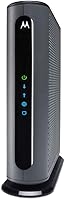
The CODA56 measures 7 by 1.77 by 8.13 inches and weighs 464 grams. The CODA is squarer at 6.73 by 6.73 by 2.03 inches and weighs the same.
The CODA56 comes in black and the CODA in white. Neither model creates a wireless network, and a separate router supplies Wi-Fi.
That small footprint also means the modem can sit right next to the coax outlet instead of needing a central spot for signal coverage the way a combined modem and router does. Inside, the DOCSIS 3.1 chipset handles the cable side and the Ethernet port hands off a clean wired connection to whatever you plug in.
Does a Hitron modem include Wi-Fi?
No, Hitron's CODA modems don't include Wi-Fi. Both models are cable internet only, so you must supply a separate Wi-Fi router to get wireless coverage.
Without a router, you can connect just one device by Ethernet cable. The CODA56 has a single Ethernet port and the CODA has two, but neither creates a wireless network or manages multiple devices on its own.
The CODA56 has no voice port, so it can't run a home phone line. The CODA has no voice support either.
If you need phone service, keep that in mind when you plan the swap. Neither model has a built-in router, so routing and device management come from your own router.
The modem just passes the internet connection through.
This matters most if you're replacing a rented gateway that had Wi-Fi built in. In that case, buy a router at the same time or you'll lose wireless coverage on activation day.
Our walkthrough on how to connect a modem to router covers the cable order and the settings you need. Your router handles Wi-Fi security and device management, so you can swap it later without touching the modem or calling the ISP again.
Which internet providers work with a Hitron modem?
A Hitron modem works with cable internet providers, and Hitron names Xfinity, Spectrum, Cox, Astound, Grande, RCN, Wave and Zito Media among the compatible services.
The CODA56 also lists Charter Spectrum and Cox Gigablast. Plan speed matters as much as the provider name.
Hitron rates the CODA56 for Xfinity plans up to 2.33 Gbps, Spectrum at 1 Gbps and Cox at 2 Gbps. The CODA's maximum downstream rate is 1000 Mbps and its maximum upstream rate is 350 Mbps.
Cable One Sparklight also appears on the CODA56 list.
A Hitron modem won't work with fiber, DSL, satellite or fixed wireless. That rules out Verizon FiOS, AT&T Fiber, CenturyLink DSL, HughesNet, Viasat and the T-Mobile or Verizon home internet services.
Even when your provider is on the compatible list, the modem won't work on a fiber line from that same company.
One trap is worth knowing: some cable providers also sell fiber. Having Xfinity or Spectrum service doesn't guarantee your line is coax.
Check the wall connection and your plan type before you buy. The wall jack is the giveaway.
A round connector with a screw thread is coax. A small square optical port means fiber, and a Hitron modem won't help there.
Providers also list approved customer-owned modems on their websites, so confirm the exact model appears before you order.
What do you need to set up a Hitron modem?
Setup needs cable service, a coax outlet, a separate router and an activation call. The modem can't go live until your provider adds it to your account.
Hitron lays out four steps. Connect the coax cable to the wall and the modem, plug in the power supply, run Ethernet from the modem to your router, then call your ISP to activate it.
Both models ship with an Ethernet cable in the box. The CODA56 includes a 2.5 Gbps Ethernet cable, a coax cable and a power supply, and the CODA includes a 1 Gbps Ethernet cable and a power supply.
If your router sits far from the modem, a longer run helps; the Jadaol flat cable is one option.
Hitron lists technical support 7 days a week for both models.
If activation stalls, the support team can help you confirm the modem is registered to your account. Warranty coverage comes through Hitron's website, and product registration is a quick step after setup.
A flat cable slides along baseboards and under carpet, which suits a modem and router placed in different rooms. The Jadaol cable is 50 feet long and rated for 250 MHz and 10 Gbps, well above what either Hitron modem needs.
Our guide to the right Ethernet cable for a modem explains the speed ratings to look for.
Which Hitron model should you buy?
Buy the CODA56 for plans 1 Gbps and faster, or the CODA for plans up to 1 Gbps. Match the modem to the speed you pay for, not the other way around.
The CODA56 pairs a 2.5 Gbps Ethernet port with DOCSIS 3.1 and supports upstream rates up to 700 Mbps. It's the pick for Xfinity plans in the multi-gig range and for anyone planning to upgrade soon.
The single port is enough when the modem feeds one router. If your router has a 2.5 Gbps WAN port, you get the full speed through to the rest of the network.
The CODA covers the 1 Gbps tier with two Gigabit Ethernet ports. That second port is handy if you want to wire a computer or console next to the router without adding a switch.
Hitron also sells a CODA kit that bundles the modem with a cable tester, which helps if you're checking an older coax run.
Skip both if you have fiber or fixed wireless service. Also check that your provider allows customer-owned modems before ordering.
Our comparison of whether NETGEAR is a modem brand helps if you're weighing other makers.
How do you know a Hitron modem is working?
Look at the status lights after activation. Solid lights for power, downstream and upstream, plus an online light, mean the modem has locked onto the network.
If those lights keep cycling or stay off, the usual causes are a loose coax connection, a missing activation or a provider that doesn't support the model. Our guide to modem lights blinking maps each light to its meaning.
Once the modem is online, test a wired connection from a laptop before adding the router. A fast wired speed confirms the modem and plan are working, so any Wi-Fi problem later sits with the router.
Run the test twice, once at the modem's Ethernet port and once through the router. If the first is fast and the second is slow, the router is the bottleneck.
That's common when an older router's WAN port is capped below your plan speed. On a multi-gig plan, a router without a 2.5 Gbps port will drag the whole network down to its own limit.
Is a Hitron modem worth buying?
A Hitron modem is worth it if you have cable internet and want to stop renting a modem from your provider. Hitron says replacing a rented unit may eliminate the monthly fee, so check your current rental rate first.
The CODA56 suits multi-gig plans with its 2.5 Gbps port. The CODA fits gigabit plans and gives you two Ethernet ports.
Neither one gives you Wi-Fi, so plan for a router in the same budget. Factor in the router cost against the rental fee over a year or two to see when the swap pays off.
Hitron backs both with warranty coverage and technical support 7 days a week. The company also points to its 30-plus years of networking experience as the reason to trust the brand.
Some providers have reduced or dropped modem rental fees, so confirm the current rate with yours rather than assuming the saving. If your fee is already gone, the case rests on owning the hardware and avoiding a provider-supplied gateway you don't need.
Either way, the modem is a long-term device. Buy once and keep using it across plan upgrades as long as your provider supports the model.
If your service is fiber or fixed wireless, a Hitron cable modem isn't the right device at all. For cable households, matching the model to your plan speed is the whole decision.
Pick the CODA56 for speed headroom and the CODA for a plain gigabit setup, then connect your router and confirm the online light before you rely on the network.
Frequently asked questions
Will a Hitron modem work with fiber internet?
No, Hitron cable modems work only with cable internet from providers like Xfinity, Spectrum and Cox. They don't work with fiber services such as Verizon FiOS or AT&T Fiber, or with DSL and satellite.
Do I need to call my ISP after installing a Hitron modem?
Yes, activation is part of setup. After connecting the coax cable and power, call your provider to activate the modem and confirm your plan's speed matches the model you bought.
Which Hitron modem should I buy for a gigabit plan?
Pick the Hitron CODA for plans up to 1 Gbps. If your plan runs faster than that, the CODA56 with its 2.5 Gbps Ethernet port gives you room to grow.
Can I keep my own router with a Hitron modem?
Yes. Both Hitron models connect to an existing Wi-Fi router by Ethernet.
For full speeds on multi-gig plans, make sure your router has a 2.5 Gbps port.