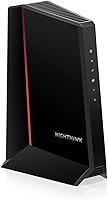
Modem Lights Blinking: What Each Light Means
Modem lights blinking usually means the modem is starting, connecting, or sending data. Check the light label, wait through startup, then inspect power, coax, and Ethernet connections in that order.
On this page (8 sections)
- What can modem lights blinking mean?
- Why do modem lights blink during startup?
- What should you check for each blinking modem light?
- What should you do if the lights keep blinking?
- Can an outage keep modem lights blinking?
- How should you choose cables or a replacement modem?
- What mistakes can make blinking lights harder to diagnose?
- What should you do when modem lights keep blinking?
Modem lights blinking usually means the modem is starting, connecting, or sending data. Check the label beside the light and compare its pattern with your modem guide before deciding that something is wrong.
A blinking light by itself doesn't show whether the internet is working. Power, downstream, upstream, online, and Ethernet lights track different steps, and their colors and blink patterns vary by model.
What can modem lights blinking mean?
Modem lights blinking can show startup, a search for a cable signal, provider registration, or network activity. The light label and the modem's guide tell you which step to check.
| Light label | What blinking may indicate | What to check |
|---|---|---|
| Power | Startup or a power issue | Adapter, outlet, and modem guide |
| Downstream or DS | Searching for or locking onto a signal | Coax cable and provider service |
| Upstream or US | Trying to establish a return signal | Coax cable and provider service |
| Online or Internet | Registration or connection in progress | Signal lights, outage status, and provider account |
| Ethernet or LAN | Data moving between the modem and a connected device | Ethernet cable and router or computer |
These are common patterns, not universal codes. Some modems use different labels or colors, so use the guide for your exact model to identify its normal connected state.
Why do modem lights blink during startup?
Blinking during startup is often normal while a cable modem finds a signal and connects to your provider. Give it several minutes before changing cables or restarting it.
A modem needs a working coax signal to finish connecting. If you use a separate router, that device may take additional time to start after the modem comes online.
Watch to see whether the lights change state. If the same connection light keeps blinking, check the coax connections and your provider's service status.
What should you check for each blinking modem light?
Start with power, then check the cable signal and online status. If those look normal but your devices have no connection, check Ethernet and the router.
What does a blinking power light mean?
A blinking power light can mean the modem is booting. If it keeps blinking or the modem repeatedly restarts, make sure the supplied power adapter is firmly connected to the modem and a working outlet.
Use the adapter intended for your modem. A connector that fits another adapter doesn't mean the voltage and power are right.
If the modem turns off and on repeatedly, check for a loose plug and try another outlet. If the behavior continues, consult the modem guide or your provider.
What do blinking downstream and upstream lights mean?
Blinking downstream or upstream lights can mean the modem is still trying to lock onto the cable signal. Hand-tighten the coax connections at the modem and wall outlet, then give the modem time to connect.
A loose, sharply bent, or damaged coax lead can interrupt the signal. If you need a replacement, the Nixsto RG6 cable has male F-type connectors and comes in several length options; choose a length that reaches without tension.
Keep the cable run direct and avoid tight bends behind furniture. Don't force the connectors, and check both ends if the lights change when the cable is moved.
Why is the online light blinking?
A blinking online light often means the modem hasn't finished connecting to the provider. Check coax and signal lights first, then check whether your provider reports an outage.
If downstream and upstream settle but online keeps blinking, the modem may still be registering or may not be authorized for your service. Contact your provider if it doesn't reach its normal state after startup.
For more checks when the connection won't come up, see modem troubleshooting steps for an internet connection that won't work.
What does a blinking Ethernet light mean?
A blinking Ethernet light often shows activity between the modem and a router or computer. If the online light is steady, Ethernet blinking can be normal while data moves.
Check that the Ethernet plugs are seated at both ends. If there's no connection, try another router port or a known-working cable.
The Amazon Basics Cat 6 Ethernet Cable is a 10 ft indoor option for connecting a modem to a router or computer. Its RJ45 connectors fit standard Ethernet ports.
Follow how to connect a modem to a router if you're unsure which port or cable goes where. Ethernet activity alone doesn't confirm that the modem has internet access, so check its online light too.
What should you do if the lights keep blinking?
Check connections, wait through startup, and verify provider service before resetting the modem. This order helps you narrow down whether the issue is power, the coax signal, Ethernet, or service.
- Confirm the power adapter is secure and the modem stays on.
- Hand-tighten the coax connections at the modem and wall outlet.
- Check the Ethernet cable between the modem and router, if you use one.
- Wait several minutes for the modem to reconnect.
- Check your provider's outage page or contact support.
- Restart the modem only if its guide or your provider recommends it.
A restart is different from a factory reset. Don't press and hold the reset button unless you intend to erase settings and your guide or provider tells you to do so.
If a short or damaged coax lead needs replacing, the GE RG6 cable is a 6 ft option with F-type connectors. Its quad shielding can suit a setup where you want a shielded lead, and its flame-retardant jacket is suitable for in-wall use.
A coax surge protector is an optional accessory for protecting a compatible coax line from surges. The VCE inline protector is made for standard 75 Ohm coaxial systems and has sealed F-ports for indoor or outdoor use.
Can an outage keep modem lights blinking?
Yes, an outage or signal problem can keep connection lights blinking. Check provider service status before replacing equipment or repeatedly restarting the modem.
If service is down in your area, a restart may not help. Wait for the provider's update, then see whether the modem reconnects when service returns.
If no outage is reported, ask your provider to check the signal reaching your home. They can help determine whether the cause is the service line, account, or modem registration.
How should you choose cables or a replacement modem?
Choose a cable based on which connection is failing and the distance it must reach. Replace a coax lead only when it is damaged or unsuitable, and use Ethernet when checking the connection from modem to router.
For coax, the Nixsto RG6 cable suits someone who needs a replacement in a less common length or an indoor/outdoor run. Skip it if you only need a short standard lead and already have a sound cable.
The GE RG6 cable suits a 6 ft connection where quad shielding or an in-wall rated jacket matters. Skip it if that length won't reach cleanly or your issue is provider service rather than the cable.
For Ethernet, the Amazon Basics 10 ft Cat 6 cable suits an indoor modem-to-router connection. Skip it if you need a longer run or an outdoor cable.
The VCE coax surge protector suits someone adding inline surge protection to a compatible coax system. Skip it as a troubleshooting purchase when the modem is failing to register, since a protector won't fix an outage or account issue.
Before replacing a modem, confirm that the model works with your provider and internet plan. The cable modem buying guide explains what to check, and how to connect a modem to a router covers the wired setup.
What mistakes can make blinking lights harder to diagnose?
Change one thing at a time and note which light changes. Swapping several cables, restarting repeatedly, or pressing reset can make it harder to identify the cause.
Don't assume every blink is a fault: Ethernet activity is often expected, while a signal or online light that never settles deserves more attention. Also avoid repeatedly loosening coax connectors, using an adapter with unknown power specs, or factory resetting before checking the modem guide.
If you contact your provider, share the light labels and colors, how long they have blinked, and the steps you've already tried. That gives support a clearer starting point.
What should you do when modem lights keep blinking?
When modem lights keep blinking, match the pattern to the modem guide, check the relevant cable, and confirm provider service. Contact your provider if signal or online lights don't settle after startup and basic connection checks.
Choose a replacement coax or Ethernet cable only when that connection is the likely problem. If the modem still won't register, use the provider's help before buying another device; the Ethernet cable guide for modems can help if the wired link is the part you need to replace.
Frequently asked questions
What does a blinking light on a cable modem mean?
It depends on the light and modem model. A blinking power light can signal startup, while downstream, upstream, or online lights may blink as the modem connects to your provider.
An Ethernet light often blinks with network activity.
Check the modem guide for the exact colors and patterns.
Should modem lights blink during startup?
Often, yes. A cable modem may blink while it searches for a signal and registers with the provider.
Wait several minutes after powering it on.
Then check whether the lights settle into the normal pattern shown in its guide.
If one stays blinking, check the cable connections and provider status.
Why is my modem online light blinking?
A blinking online light can mean the modem is still trying to establish or maintain its connection, but meanings vary by model. Check that the coax cable is secure.
Then allow the modem time to connect.
If it keeps blinking, check for an outage or contact your provider.
Can a blinking Ethernet light mean the modem is working?
Usually, a blinking Ethernet light shows data activity on that port, while a steady light may show a link is present. The exact behavior depends on the modem.
If you have no internet, check the modem's online status and the router or device connection as well.