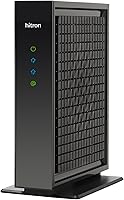
Is eero a Modem?
No, an eero is not a modem. It's a WiFi router or mesh system, so it needs a separate cable modem to bring the internet into your home. Plug the modem into the eero with an Ethernet cable and the eero spreads WiFi to your devices.
On this page (8 sections)
- What does an eero actually do?
- Why isn't an eero a modem?
- How do you connect an eero to a cable modem?
- Which cable modem works well with an eero?
- Does an eero replace your modem rental?
- What's the difference between an eero and a modem gateway?
- How do you protect the modem and eero setup?
- What should you buy first?
No, an eero is not a modem. It's a WiFi router or mesh system, so it needs a separate cable modem to bring the internet into your home.
Plug the modem into the eero with an Ethernet cable and the eero spreads WiFi to your devices.
That split matters when you're shopping: the eero handles your home network, while the modem handles the connection to your provider. This guide explains what each device does, how to wire them together, and which cable modem pairs well with an eero.
If you're deciding what to buy, you'll see why the modem comes first.
What does an eero actually do?
An eero is a router. It takes the internet connection from a modem and shares it with your phones, laptops, TVs and smart devices over WiFi.
In a mesh setup, several eero units work together as one network so the signal reaches more of your home.
The router part does the local work: it assigns addresses to your devices, manages WiFi security, and keeps traffic moving between them. An eero can also act as the WiFi access point in a larger mesh, which is why people buy several units for bigger houses.
What an eero does not do is talk to your cable provider over the coax line. That job belongs to a cable modem.
Think of the modem as the front door to the internet and the eero as the network inside your home.
If you trace a web page loading on a phone, the request leaves the phone over WiFi, passes through the eero, travels down the Ethernet cable to the modem, and only then goes out on the coax line. Each hop has a clear job, and the eero owns the WiFi hop.
Why isn't an eero a modem?
Because it has no coaxial input and no way to register on a cable network. A cable modem connects to the provider's line and translates the signal so your devices can use it.
An eero connects to that modem through a standard Ethernet port.
If you plugged an eero straight into a coax wall outlet, nothing would happen. It has no DOCSIS chip, no provider provisioning step, and no way to be recognized by the cable company's system.
Those are all modem functions.
Some internet providers rent a gateway that combines a modem and a router in one box. If you already have one of those, you can connect an eero to it and let the eero handle WiFi.
But the modem part still comes from the gateway, not from the eero.
How do you connect an eero to a cable modem?
Run an Ethernet cable from the modem to the eero, then power both on. Here's the order that works reliably:
- Connect the coax cable to the modem's coax port and tighten it by hand.
- Plug the modem's power adapter in and wait for its lights to settle.
- Run an Ethernet cable from the modem's LAN port to the eero's WAN port.
- Power on the eero and set it up in the eero app.
- Reboot the modem once so it assigns a fresh connection to the eero.
The modem should be the only device plugged directly into the coax line. If you add a splitter for TV service, keep it high quality so the modem signal stays clean.
Our walkthrough of how to connect a modem to a router covers the same steps in more detail.
Picking the Ethernet cable for the run
The cable between the modem and the eero is the one link that carries your full internet speed, so it should be a Cat 6 patch cable rather than an old spare.
The Jadaol cable is flat, so it runs along baseboards and under carpets without a bulge. Its Cat 6 rating handles the speeds a modern cable modem delivers, with a 250 MHz rating and support for 10GBASE-T.
It uses 100% bare copper wire and gold-plated RJ45 connectors, and Jadaol says the bare copper helps keep noise and interference low.
Use the shortest length that reaches your eero; longer runs are fine as long as the cable is undamaged. For more on cable types, see our guide to the ethernet cable for a modem.
Which cable modem works well with an eero?
Any provider-approved DOCSIS cable modem works, but match it to your speed tier. An eero only needs one Ethernet port on the modem, so the modem's port count doesn't limit your mesh.
What matters is that the modem supports the speed you pay for.
The Motorola MB8611 is a DOCSIS 3.1 modem with a 2.5 Gbps Ethernet port. It's approved for Comcast Xfinity, Cox and Spectrum, and Motorola says it's backward compatible with 32x8 DOCSIS 3.0.
It pairs with any WiFi router, including an eero, and Motorola says it is not a router itself.
The port matters more than the label on the box. The MB8611 delivers downstream speeds just below 2,500 Mbps and upstream speeds up to 800 Mbps when your plan supports them, so a fast eero is not capped by a slower modem port.
It also applies Active Queue Management to reduce latency for gaming, streaming and video calls.
Check your provider's approved modem list and your speed tier before buying. A modem rated for multi-gig speeds only helps if your plan and your eero hardware support those speeds.
If the modem's indicator lights confuse you during setup, our explainer on modem lights blinking tells you what each one means.
Does an eero replace your modem rental?
No. The eero replaces your WiFi router, not the modem.
To drop a modem rental charge, buy your own cable modem and keep the eero as the router.
The eero itself does not remove a modem fee from your bill.
Many cable providers charge a monthly fee to rent their modem. Buying a compatible modem usually pays for itself over time.
Motorola puts the typical saving at 168 dollars per year for Comcast Xfinity customers, and that figure varies by provider, so check your own bill.
The catch is compatibility. Your provider has to approve the modem model and its firmware, so confirm that before you buy.
Then connect the modem to the eero and return the rented modem or gateway if your plan allows it.
One more detail from the Motorola data: the MB8611 carries a 2-year warranty and free support from USA technicians. That matters if you are moving off a rented box, because the provider will no longer be the first call when something goes wrong with the modem.
What's the difference between an eero and a modem gateway?
A modem gateway is two devices in one box; an eero is only the router half. A gateway combines a cable modem and a WiFi router, which is what most providers rent.
An eero does the router and WiFi work but needs a separate modem.
You can connect an eero to a gateway and turn off the gateway's WiFi so the eero handles the wireless network. That gives you eero's mesh features while keeping the provider's modem.
Many people do this when the rented gateway's WiFi is weak in parts of the house.
If you want one simple setup, a gateway is easier. If you want mesh WiFi with an app that manages the network, the eero plus a separate modem is the more flexible path.
Either way, the eero is not the device that talks to the cable line.
How do you protect the modem and eero setup?
Use a coax surge protector on the line and keep both devices ventilated. Power surges and lightning can travel in on the coax cable, and a protector gives the modem a layer of defense.
Place both devices where air can flow around them.
The VCE Coaxial Surge Protector is a 75 Ohm in-line protector rated for 5-2500MHz. It's a two-pack with F-type connectors that twist on without tools.
VCE rates it for a 5kA nominal and 10kA maximum discharge current, with 6kV all-port protection.
Screw one protector onto the coax line between the wall outlet and the modem. The metal housing and sealed F-ports are built to block moisture if the line runs outdoors, and VCE rates the unit from -4°F to 140°F.
Keep the eero on a surge-protected power strip as well. The protector does not replace provider support, so if the modem won't come online, check the provider's activation steps before swapping hardware.
If you're also comparing router brands, our answer to is NETGEAR a modem covers the same modem-versus-router question for that brand.
What should you buy first?
Buy the modem first, then add the eero. The modem gets your home connected to the cable provider, and the eero turns that connection into WiFi.
Without a modem, the eero has nothing to route.
For most cable households, the Motorola MB8611 is a strong starting modem because of its DOCSIS 3.1 support and 2.5 Gbps port. Add the Jadaol Cat 6 cable to reach the eero cleanly, and the VCE coax protector to shield the line.
If you already have a working provider gateway, you can connect the eero to it now and add a separate modem later.
So when someone asks whether an eero is a modem, the short answer stays the same: it's not. It's the router that makes your modem's connection useful, and pairing the two correctly gives you fast, reliable WiFi at home.
Frequently asked questions
Can I use an eero without a cable modem?
No. An eero needs an internet source, and on a cable plan that source is a cable modem.
If your provider offers a modem and router in one box, you can often put that combo device in bridge mode and connect the eero to it.
Does an eero replace my modem rental fee?
No. The eero replaces your WiFi router, not the modem.
To drop a modem rental charge, buy your own cable modem and keep the eero as the router, but only use a model your provider approves.
Can I put the eero next to the cable modem?
Yes, but keep a little space around both so they don't overheat. For the best WiFi coverage, place the first eero near the modem and put extra eero units in rooms where the signal is weak.