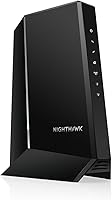
Do You Need a New Cable Modem?
You need a new cable modem when your internet plan is faster than the modem can pass through, when you switch cable providers, or when renting one costs more than buying. A modem that clears all three checks can stay in service.
On this page (9 sections)
- Do I need a new cable modem? Start with your plan speed
- Do I need a DOCSIS 3.1 modem for a fast plan?
- Do I need a new modem when I change providers?
- Are you renting? Run the yearly cost
- Do providers' own modems still make sense?
- Is your current modem actually on the approved list?
- When is an old modem fine to keep?
- Which new modem fits your plan?
- The verdict: replace the modem only when a check fails
You need a new cable modem when your internet plan is faster than the modem can handle, when you switch cable providers, or when you are renting one with no plan to stop. Run those three checks before you spend money.
A modem that passes all three checks does not need replacing, even if it has been on your shelf for years. Wiring, WiFi gear and provider settings cause far more slow-connection complaints than old modems do.
The product boxes below appear where they solve a real problem in this test, not as a sales list.
Do I need a new cable modem? Start with your plan speed
Your plan speed decides most of this. Replace the modem when your plan passes its rated speed, because the modem becomes the ceiling no matter what router sits behind it.
Start with your provider's advertised download speed. Then find the top speed your modem is rated for.
That number sits on the model nameplate or in the maker's specs.
When the plan is higher than the modem rating, the extra speed you pay for never reaches a device. The connection runs at the modem's limit, and no amount of router tuning changes it.
Here is the pattern that matters most:
- Plans of 1 Gbps or more need a DOCSIS 3.1 modem with a 2.5 Gbps port to deliver the full rate.
- Plans below about 300 Mbps usually run fine on a modern DOCSIS 3.0 modem.
- Plans with upload above 100 Mbps need a modem whose upstream rating is high enough, and more plans now carry fast upload.
A modem rated for 2500 Mbps downstream clears a 1 Gbps or 2 Gbps plan with headroom. A 2.5 Gbps Ethernet port matters because a plain 1 Gbps port caps the wired connection near 940 Mbps on its own.
The upstream side deserves the same look. A modem's maximum upstream rating is the most your plan can push back toward the provider, so a plan built for video calls, uploads or home cameras needs a modem that clears it.
The Motorola MB8611 lists upstream speeds up to 800 Mbps when the plan supports it, and the Hitron CODA56 lists up to 700 Mbps. Both numbers sit above nearly every consumer cable plan today, which keeps the upload side from becoming the new bottleneck after you upgrade.
Upgrade the modem first, then look at your router. The modem for gigabit internet guide covers which port and DOCSIS version each gigabit tier needs.
Rule: if your plan speed is higher than the modem rating, buy a modem before anything else.
Do I need a DOCSIS 3.1 modem for a fast plan?
Not always, but more often than a simple "no" suggests. DOCSIS 3.1 is the standard behind multi-gig cable plans, and providers increasingly list it as a requirement for their top tiers.
DOCSIS 3.0 modems still work on slower tiers, and the two standards run backward compatible on the same cable networks. The catch is headroom.
A 3.0 modem that tops out around a few hundred Mbps has little room above a mid-tier plan.
The other reason is upstream. Plans with faster uploads are common now, and a 3.1 modem with a strong upstream rating passes more of that speed through.
Check both numbers, not just download.
Multi-gig Ethernet ports appear mostly on 3.1 units, which is another reason fast plans trend toward the newer standard. The do i need a docsis 3.1 modem guide walks through the plan tiers where it makes the difference.
Here is how the two modems we would pick fit that picture.
Rule: on a 1 Gbps plan or faster, treat a DOCSIS 3.1 modem as the baseline, not an upgrade.
Do I need a new modem when I change providers?
Yes, usually. A cable modem is certified for specific providers and specific tiers, and the company you leave behind can refuse to activate a modem it never approved.
Providers keep approved lists by model and speed tier. A modem that worked well for Cox may sit unapproved on Spectrum.
The hardware is fine; the certification is the issue.
Check the new provider's approved list before you move. Search by model number, confirm the tier it clears, and keep that note for moving day.
There is one more wrinkle. Providers that supply voice service sometimes require their own gateways for phone calls.
If a home phone line is part of the deal, read our Xfinity Voice modem guide before you buy your own hardware.
Rule: before a provider switch, confirm the old modem appears on the new provider's approved list.
Are you renting? Run the yearly cost
Buying usually wins within a year or two. If you rent a modem and your plan is 1 Gbps or faster, you likely need a new modem more than you need a new plan.
Rental fees are monthly and never end. A modem you own pays for itself once the fees you avoid add up to its cost, and the savings continue as long as it stays certified.
Motorola says owning the MB8611 typically saves a Comcast Xfinity home about 168 dollars a year in rental charges. Your provider sets its own rate, so check your own bill.
Hitron makes the same pitch for the CODA56: replacing a rented cable modem may eliminate monthly equipment rental fees. Neither figure is a promise, because the rate lives on your own statement.
Owning also changes what you can fix. A gateway from your provider bundles the modem and router, so you cannot swap one part without the other.
Separate hardware lets you replace whichever piece actually fails.
The one thing to weigh is support. When your own hardware misbehaves, the provider may point at the modem first.
Buy a model with clear manufacturer support and that trade-off stays manageable.
What the warranty and support change
Support terms are worth reading before you buy, because they decide who you call when the connection drops at night. Motorola backs the MB8611 with a 2-year warranty and free support from its team of USA technicians.
Hitron points owners to its website for warranty details and offers technical support 7 days per week.
Neither company can fix a provider outage, and neither will override your provider's approved list. What they can do is walk you through activation on a new modem and confirm the unit is behaving when a tier speed test comes up short.
That matters most in the first week after a swap.
A 2-year coverage window also outlasts many plans. If your provider raises your tier within that period, the modem you bought under warranty can often follow along, because the speed rating already sits above the new tier.
Check the rating against the plan you expect in two years, not just today's plan.
One more ownership detail: the MB8611 lists 32x8 DOCSIS 3.0 channel support alongside its 3.1 mode. On a network that still runs 3.0 channels alongside the newer ones, that gives the modem more lanes to use when the provider is not yet broadcasting full 3.1 service.
It is the kind of backward compatibility that makes a purchase last through a provider's own upgrade schedule.
Rule: if a rental fee appears on every bill and the modem is not needed for voice or TV, buy your own.
Do providers' own modems still make sense?
Sometimes yes. Provider-supplied gateways make sense when you bundle voice, TV or whole-home WiFi, because the equipment is supported end to end by the company that owns it.
The trade-off is flexibility. A gateway is a modem and router in one, and that pairing is the point for many people.
Our Optimum compatible modems guide shows how much choice you have when you pick your own. Some providers support a solid range of retail modems; others keep the list short.
If your provider requires its gateway for your service bundle, replacing the modem is not the question. The better move is to put the gateway in bridge mode and add your own router, keeping the provider's unit as the modem.
If you only have internet, the case for owning hardware is stronger. You keep any router you like, swap pieces as they age, and stop paying rent on equipment you could own.
Rule: keep a provider gateway when voice or TV depends on it; own the modem when internet is all you have.
Is your current modem actually on the approved list?
Check this before you upgrade for speed. An approved modem that meets your plan speed does not need replacing, even if its model number is older than the one advertised today.
Go to your provider's supported modem page and search your model. Confirm it is approved for your tier, not just for the company.
Re-test the speed at the modem with an Ethernet cable before blaming the modem. Connect a laptop straight to it with a cable and check the result.
If the wired speed matches your plan, the modem is fine and the WiFi gear is the slow part.
The flat shape matters for this test more than it sounds. A flat cable slides under a carpet or runs along a baseboard without pinching, so you can leave the test cable in place and run the same check again after a provider tier change.
Jadaol builds this one with 100% bare copper wire and gold-plated RJ45 connectors, rated to 250 MHz and up to 10 Gbps, which clears the 2.5 Gbps port on either modem here.
Two checks keep the test honest. Run it with WiFi off on the laptop, so the number reflects the cable path only.
Then repeat it once at a quiet time of day, because a crowded cable node in the evening can drag a result down and make a healthy modem look weak.
Dropouts deserve a different look. Loose coax, a worn splitter or a provider outage explain many cutouts that a new modem would not fix.
If the wire is good and the modem is approved but the speed still lags, the modem is the likely bottleneck. That points back to the speed test in the first section.
Rule: run one wired speed test at the modem before you buy anything.
When is an old modem fine to keep?
Often more often than people think. A DOCSIS 3.0 modem on a slower plan can keep working for years as long as your provider still approves it and the speed holds.
Three checks keep that decision honest. Your plan speed sits under the modem's rating.
The modem appears on your provider's approved list. A wired test at the modem shows the speed you pay for.
Hit all three and the right call is to leave the modem alone. Spend the money on a better router or on fixing a weak WiFi spot instead.
Those changes often deliver more day-to-day improvement than a newer modem.
One edge case: some older modems use only a few bonded downstream channels. On a busy street with a lot of cable traffic, that can show up as slow evenings.
If that pattern is constant, a modem with more channels may steady the connection.
The other case is simple wear. A modem that reboots on its own or drops the connection more than it used to has likely reached the end of its useful life.
Rule: keep the modem when plan speed, approval and a wired test all pass.
Which new modem fits your plan?
If the checks point to a replacement, match the modem to your plan's top speed, not to the fastest modem on the market. A multi-gig modem on a slow plan spends money on headroom you cannot use.
Here is the decision path. A plan at 1 Gbps or above with multi-gig headroom fits a DOCSIS 3.1 modem with a 2.5 Gbps port.
A mid-range plan with no near-term upgrade plans fits a newer DOCSIS 3.0 modem with room above the plan speed.
Neither modem here includes WiFi or a phone port. You pair either one with your own router, so budget for that if your current unit is a gateway.
A modem without a router passes one wired connection at most, which is the other reason the router matters. Each of these units has a single Ethernet port, so the router is the only way the whole house gets online.
Check your plan's upload speed too. Both of these modems rate upstream well above most plans, which keeps the upload side from becoming the new bottleneck.
If your provider is one of the majors, both models appear on the approved lists for Xfinity, Spectrum and Cox. Buy the one your provider certifies for your tier.
Hitron publishes tier guidance for its certified providers, listing Xfinity plans up to 2.33 Gbps, Spectrum plans at 1 Gbps and Cox plans up to 2 Gbps. Check your own tier against the list before you buy.
Size is a small factor when the modem has to share a shelf or a crowded media cabinet. The MB8611 measures 7.25 by 2.25 by 7.88 inches.
The CODA56 measures 7 by 1.77 by 8.13 inches. Both stand upright on a narrow base, so a little clearance around the coax and power connections keeps the fit clean.
Rule: choose the modem that clears your plan speed with headroom and appears on your provider's list, then stop shopping.
The verdict: replace the modem only when a check fails
You likely need a new cable modem only when one of these fails: your plan outruns the modem rating, the modem is not approved by your provider, or you are renting. If all three pass, the modem stays.
Work in order. Run the wired speed test at the modem.
Compare your plan speed with the modem rating. Check the provider's approved list.
When a replacement is due, the Motorola MB8611 is the pick for most cable homes because its 2500 Mbps downstream rating and 2.5 Gbps port clear gigabit and multi-gig plans on Xfinity, Cox and Spectrum. The Hitron CODA56 is the pick for a provider move where its longer approved list matters, or when you want the same 2.5 Gbps port on a 1 Gbps or faster plan.
Before you buy, confirm two things: your plan's top speed and your provider's approved models for that tier. Walk the plan through the modem for gigabit internet guide if your tier is 1 Gbps and up, and check the DOCSIS 3.1 modem question when you are unsure whether the newer standard is needed.
Do the test first; replace only what fails.
Frequently asked questions
How long does a cable modem last?
Many cable modems keep working for years, but age alone is not the reason to replace one. A modem that still meets your plan speed and your provider's approved list can stay in service well past that point.
Can I keep using my modem if I switch cable providers?
Only if the new provider approves that model for your service tier. Cox, Spectrum and Xfinity keep their own approved lists, and a modem certified for one company is not automatically accepted by another.
Will a new modem make my WiFi faster?
No, unless the old modem was the bottleneck on your plan speed. A cable modem only handles the connection to your provider.
WiFi speed and range come from your router, so a weak router caps the connection even behind a fast new modem.
Does a faster modem lower my monthly bill?
Not by itself. The savings come from owning the modem instead of renting it.
Motorola says owning the MB8611 typically saves a Comcast Xfinity home about 168 dollars a year in rental charges; other providers set their own rental rates.
Do I need a new modem if my internet drops out?
Not always. Check the coax connections and the provider's outage page first.
If dropouts continue on a modem that is already several plan speeds behind, a replacement is a sensible next step before you call for a service visit.